Mastering Unreal Multiplayer: Reconfiguring for the Global Stage
Multiplayer development is often treated as “Game Dev Hard Mode.” But the real reason most projects fail isn’t the complex math—it’s that they weren’t designed for The Reality of Latency.
If your character moves perfectly on your machine but “rubber-bands” on a server, you haven’t accounted for the round-trip time between a player’s home and the data center. This guide covers how to bridge that gap using EOS and advanced replication logic.
EOS Crossplay Multiplayer C++
EOS Kurulumu ve Ayarları
At minimum, crossplay requires:
- Enable EOS/EOSPlus plugins.
- Configure
DefaultEngine.inifor your target platforms (PC/Steam, console, etc.). - Decide whether you want the EOS overlay and what identity flow you use (EAS vs EOS Connect).
EOS Kullanımı
The practical workflow is: initialize the Online Subsystem -> create/find/join sessions -> travel the client to the host via connection string.
The Infrastructure: EOS vs. Steam
To build a modern game, you need a social layer (friends, invites, lobbies). We leverage Epic Online Services (EOS) and the Steam Online Subsystem (OSS) to provide a cross-platform foundation.
Why EOSPlus?
By setting your NativePlatformService to Steam and DefaultPlatformService to EOSPlus, you get the best of both worlds: the Steam overlay for PC players and the robust backend of Epic for cross-play.
Integrated Service Setup: EOS & Steam Configuration
Setting up your DefaultEngine.ini correctly is the first step in ensuring your game can talk to both Steam and Epic’s backends.
[/Script/OnlineSubsystemEOS.EOSSettings]
bEnableOverlay=True
bUseEAS=True
bUseEOSConnect=True
bUseEOSSession=True

[OnlineSubsystem]
DefaultPlatformService=EOSPlus
NativePlatformService=Steam

[OnlineSubsystemSteam]
bEnabled=true
SteamDevAppId=480
bInitServerOnClient=true
Session Management: Host, Find, and Join
Implementing basic session logic in your GameInstance allows players to interact with the Online Subsystem. This is how you create “rooms” and let others find them.
void UYourGameInstance::CreateSession() {
    if (SessionInterface.IsValid()) {
        FOnlineSessionSettings SessionSettings;
        SessionSettings.bShouldAdvertise = true;
        SessionSettings.bUsesPresence = true;
        SessionSettings.NumPublicConnections = 5;
        SessionSettings.bUseLobbiesIfAvailable = true;

        SessionInterface->OnCreateSessionCompleteDelegates.AddUObject(this, &UYourGameInstance::OnCreateSessionComplete);
        SessionInterface->CreateSession(0, SESSION_NAME, SessionSettings);
    }
}
Joining a Session
When a player finds a session, the connection string is retrieved to perform a “Client Travel.” This is the magical moment where the player leaves their menu and enters the host’s world.
void UYourGameInstance::OnJoinSessionComplete(FName SessionName, EOnJoinSessionCompleteResult::Type JoinResult) {
    FString ConnectionInfo;
    if (SessionInterface->GetResolvedConnectString(SessionName, ConnectionInfo)) {
        APlayerController* PC = GetFirstLocalPlayerController();
        PC->ClientTravel(ConnectionInfo, ETravelType::TRAVEL_Absolute);
    }
}
Replication Roles: The Hierarchy of Truth
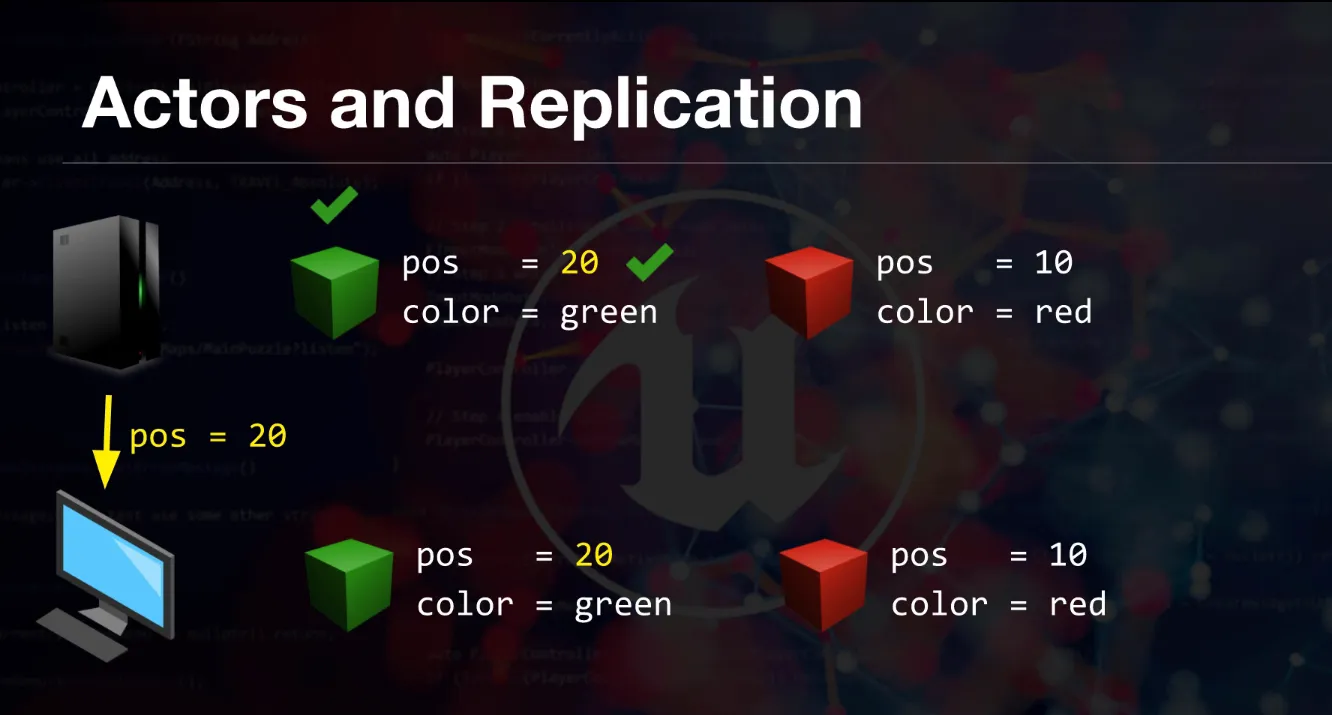
In a multiplayer game, everyone is looking at a different version of reality.
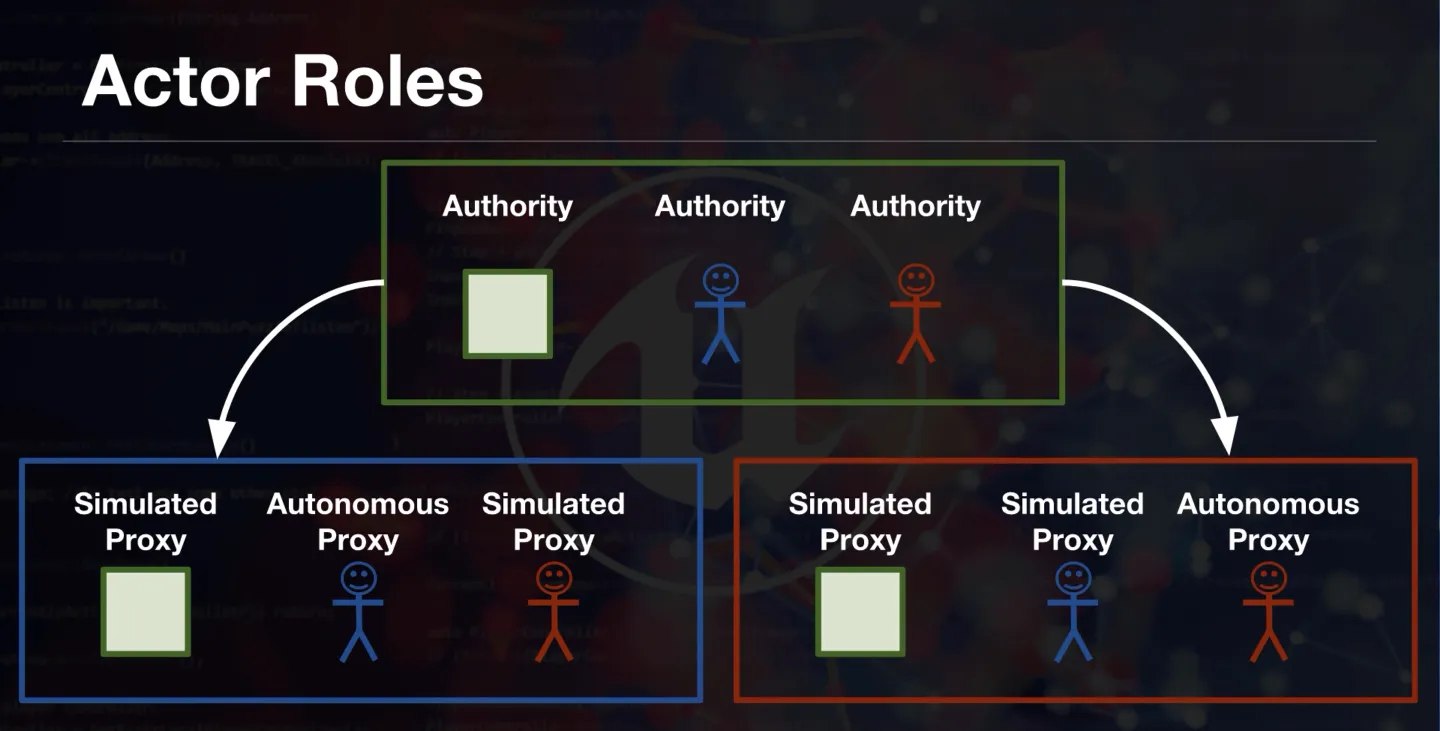
- The Server (Authority): The only version of the game that actually matters. If the server says you didn’t hit that shot, you didn’t hit it.
- The Player (Autonomous Proxy): A local version that “predicts” movement to keep the game feeling responsive.
- The Crowd (Simulated Proxy): Other players watching you. They see a slightly delayed, “interpolated” version of your path.
Combatting Lag: Prediction is Key
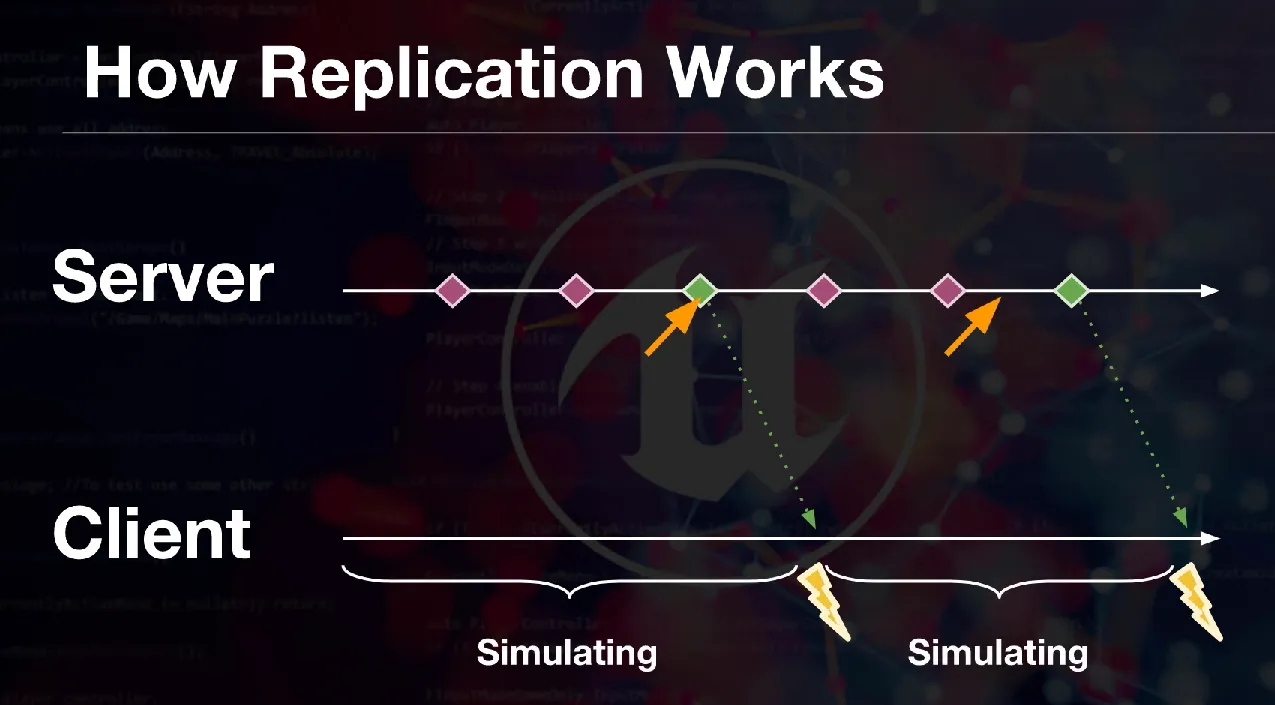
Unreal’s CharacterMovementComponent is a masterpiece because it handles Local Prediction. When you press W, your character moves locally immediately. The server validates that move later. If the server disagrees, it sends a “Correction”—this is the smooth realignment of your position that prevents “snapping.”
Multiplayer Replication - LAG - Package Loss
When movement feels “wrong” online, the root cause is usually one of these:
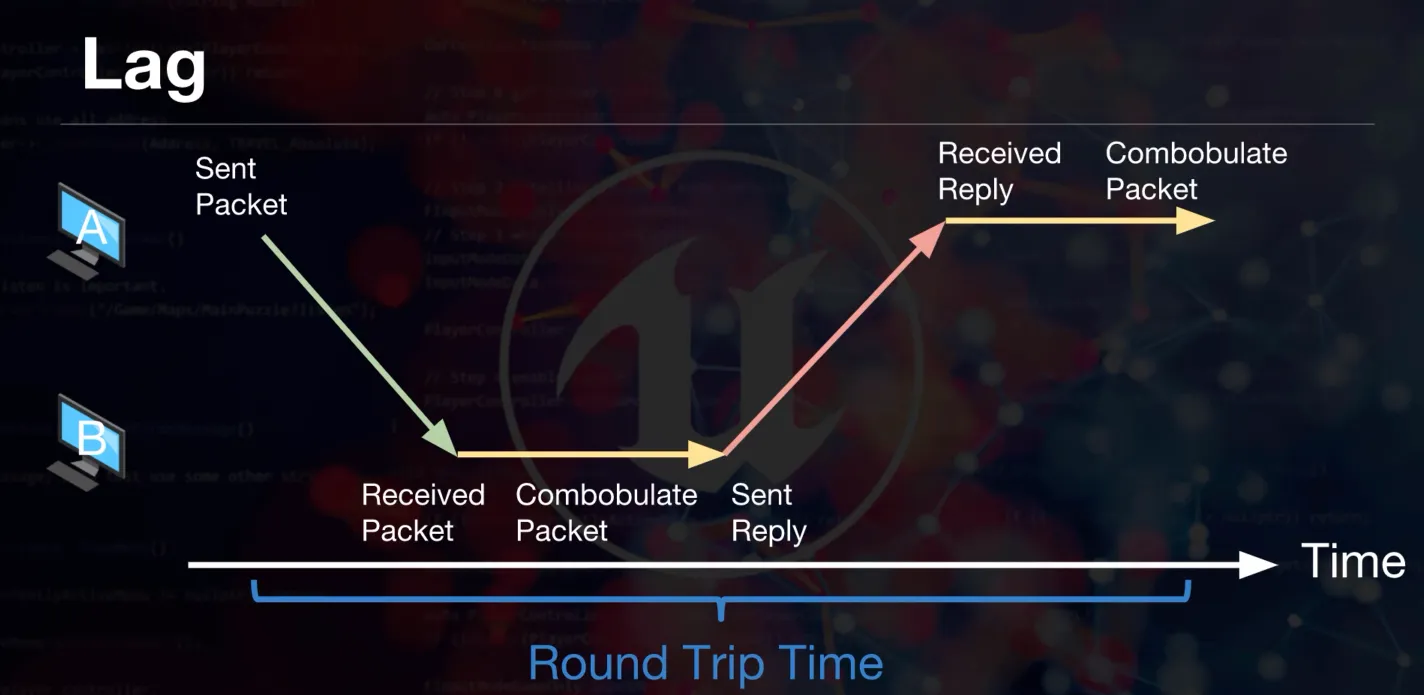
- Latency (ping): the time for an input to reach the server and the correction to come back.
- Jitter: inconsistent latency (worse than constant delay).
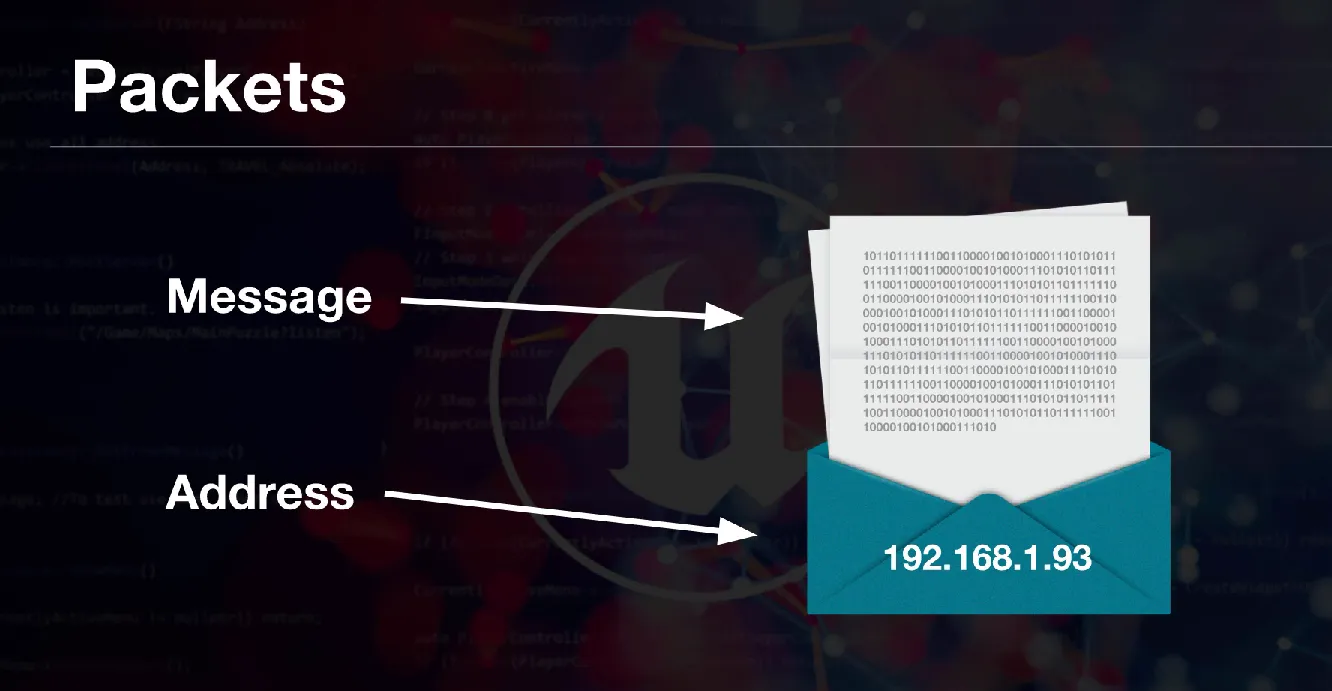
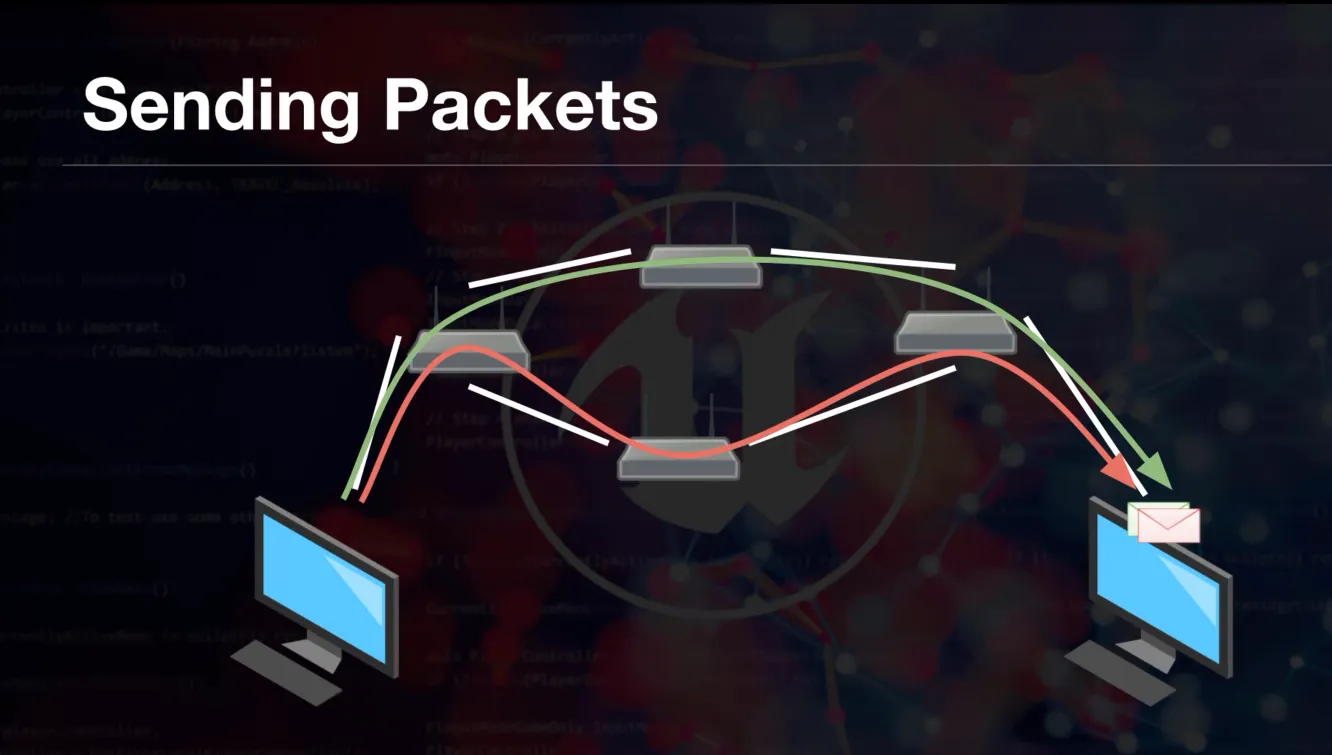
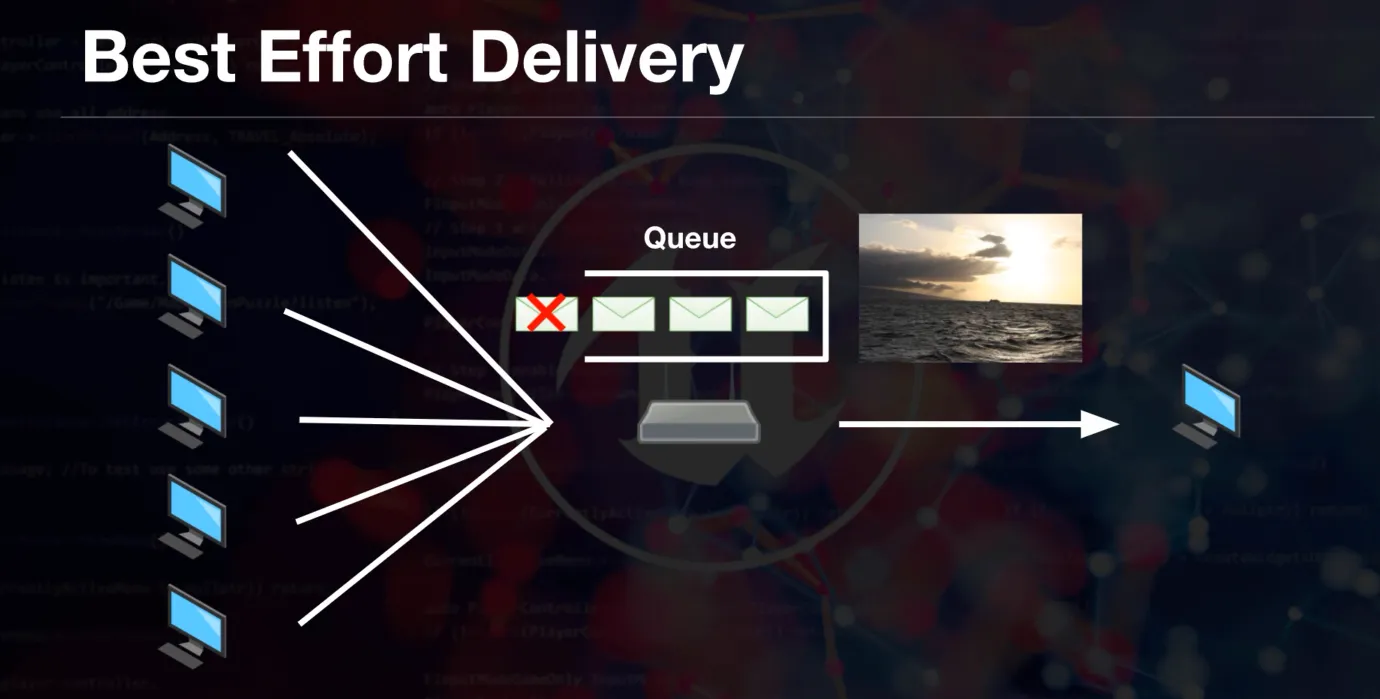
- Packet loss: missing state updates (causes stutter, warps, desync).
Helpful dev console commands (use carefully in PIE):
Net PktLag=150(simulate latency)Net PktLoss=5(simulate packet loss)
Replication Actor Roles
Open role diagrams
What is the packet loss?
Open packet loss diagrams
What is the LAG?
Open lag diagrams
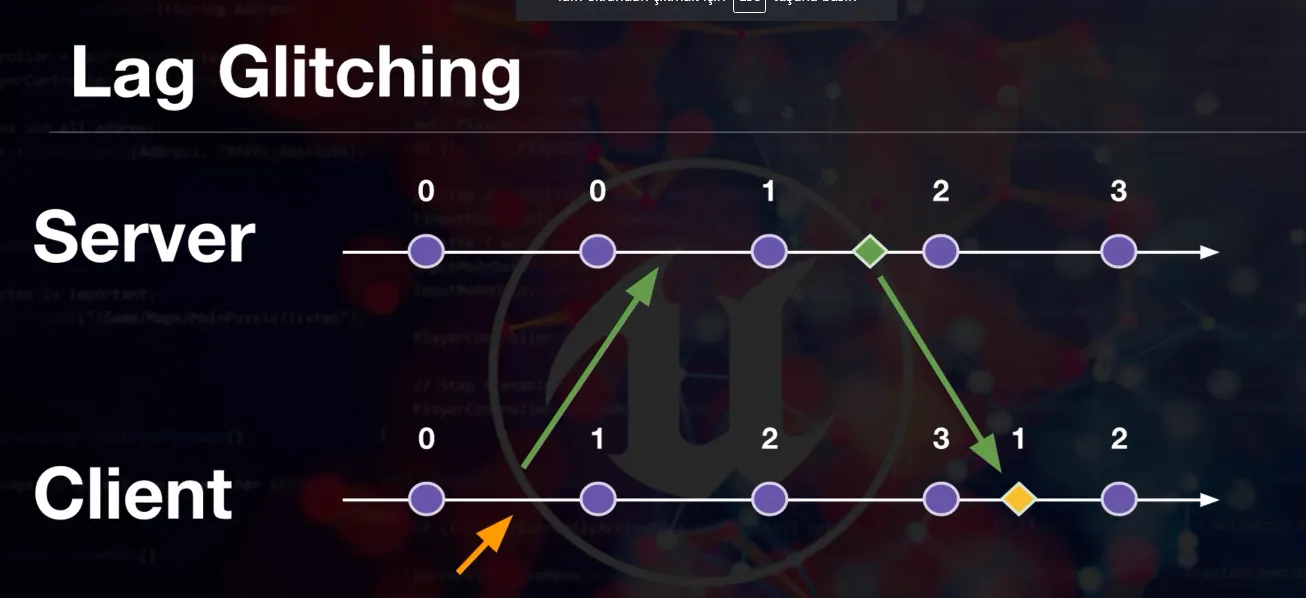
Let’s visualize the lag
Open lag visualization
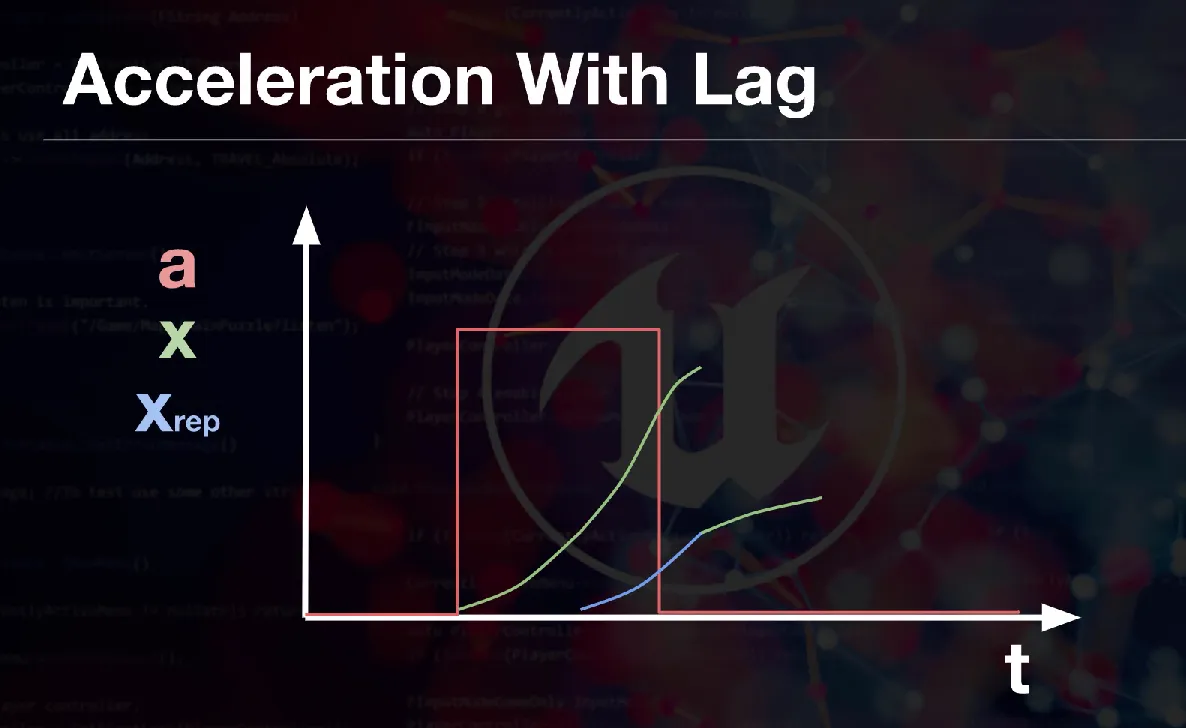
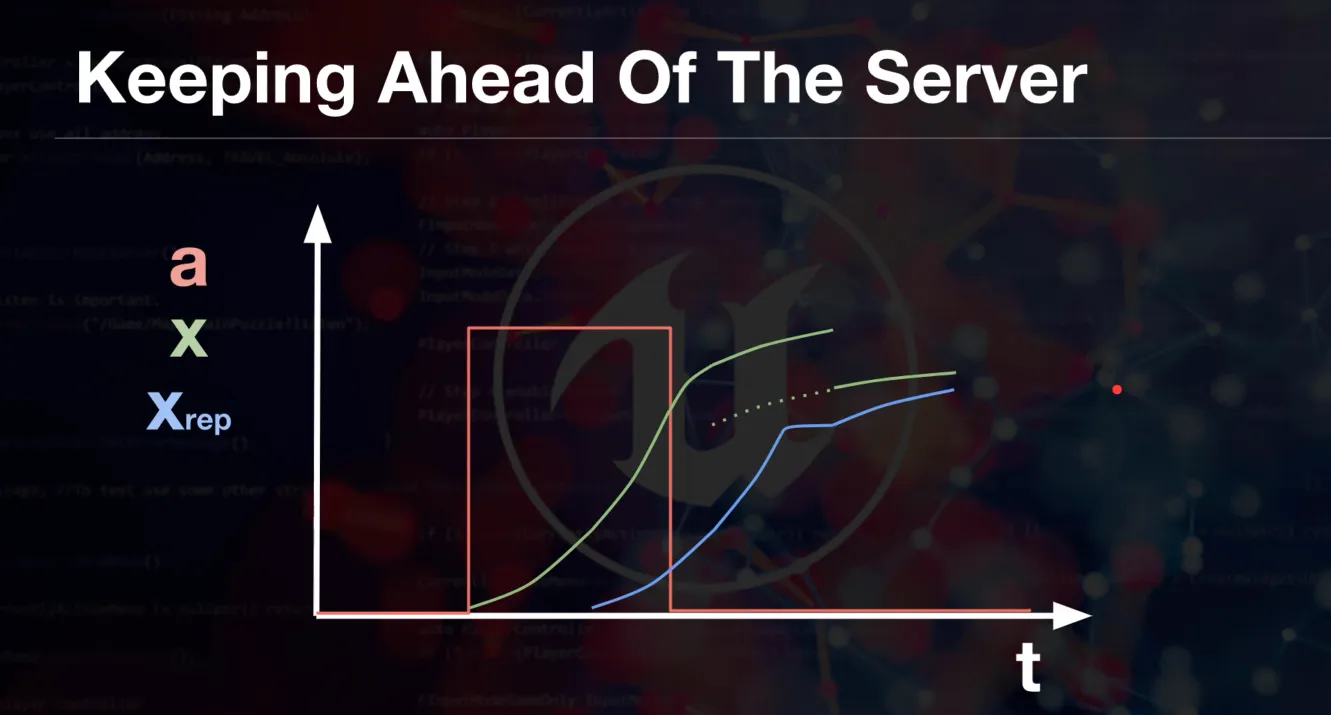
Fix the LAG Methods
Open fix methods
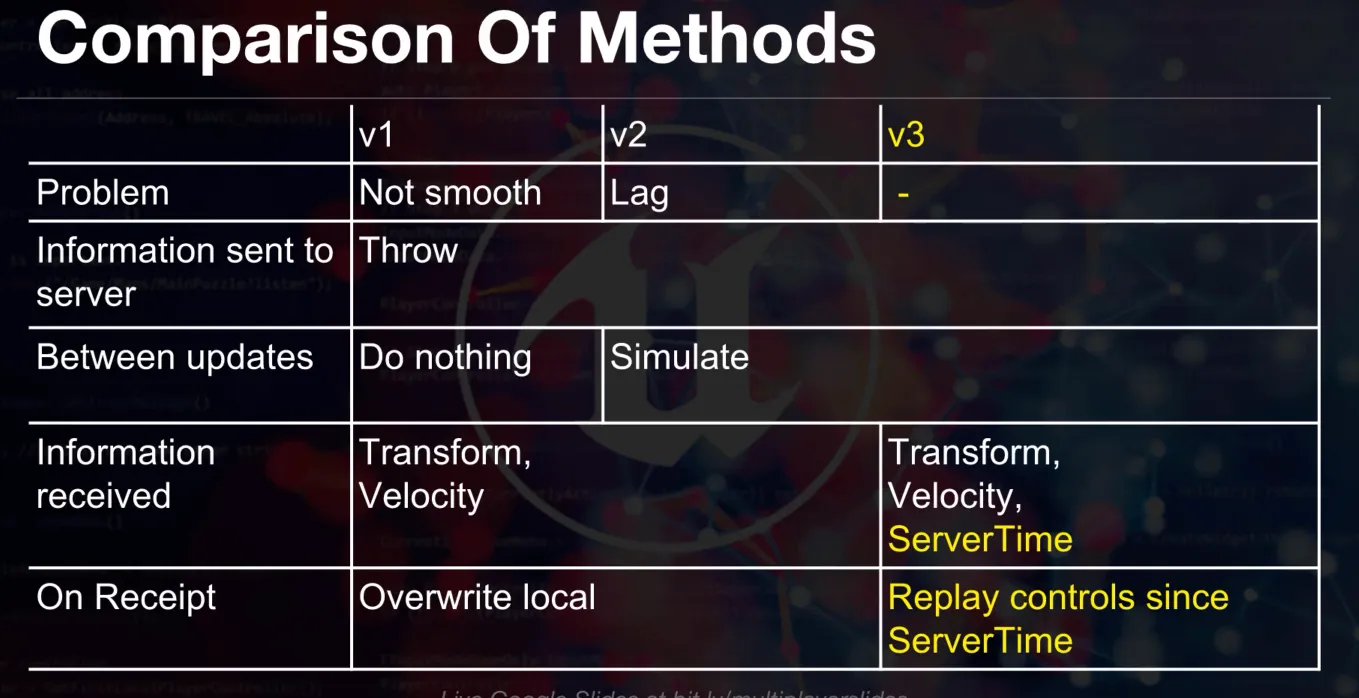
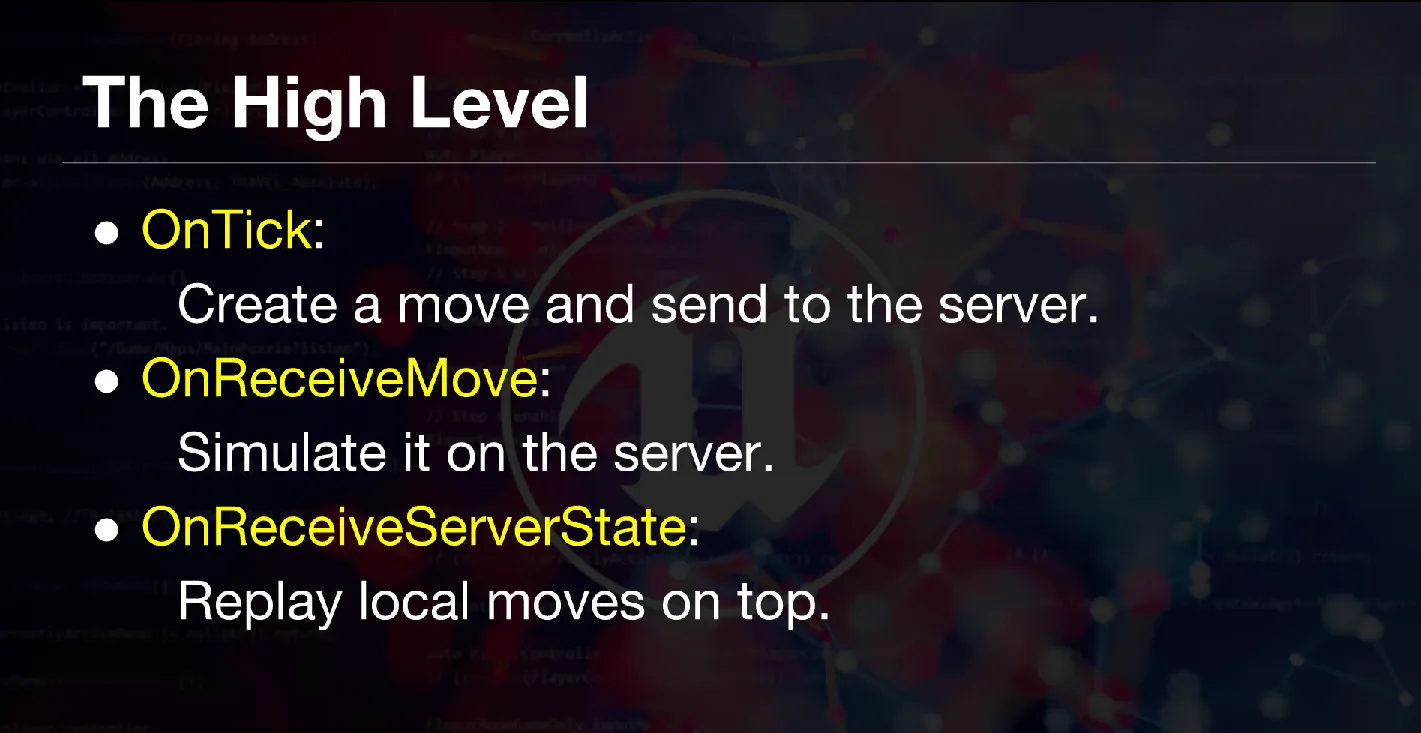
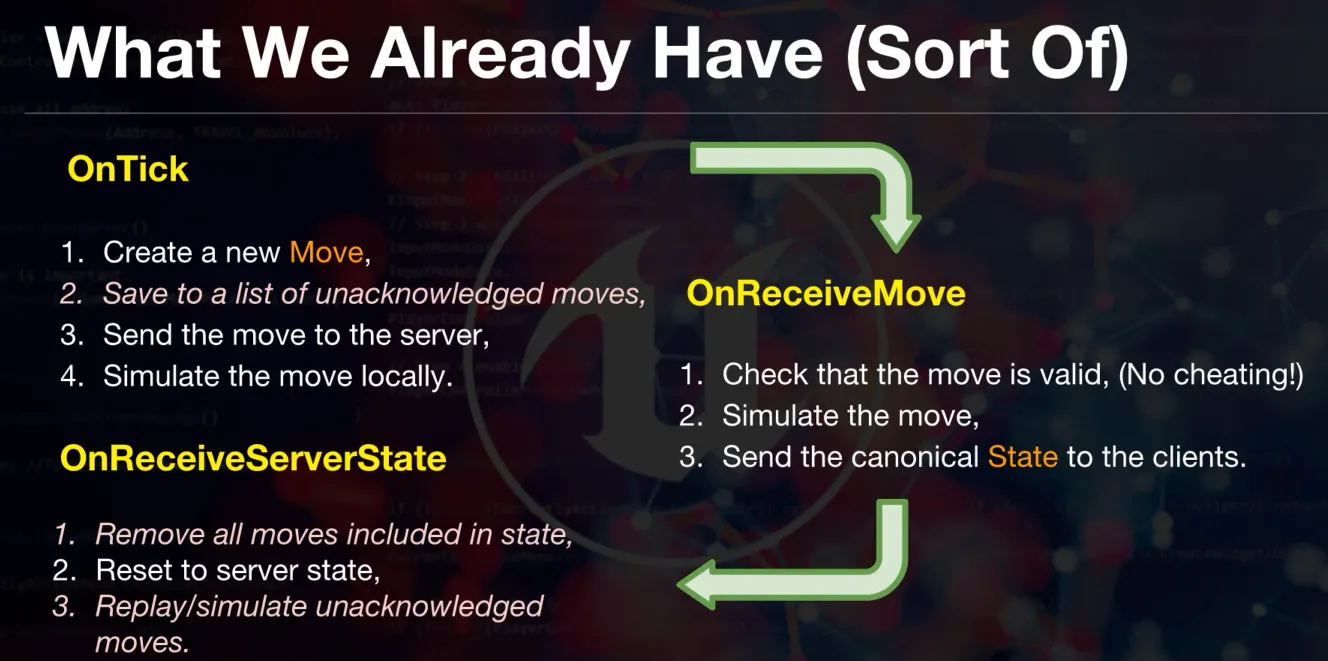
Replication Refactor for movement bindings
Open refactor diagrams
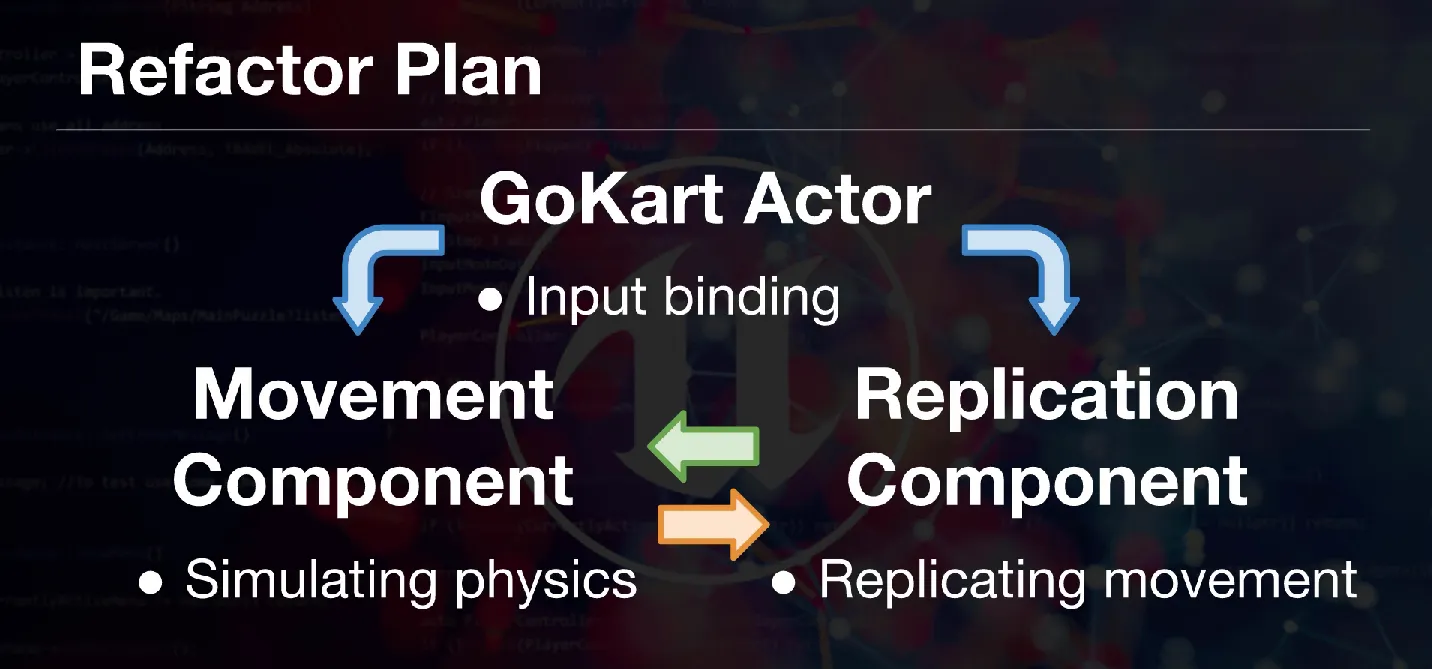
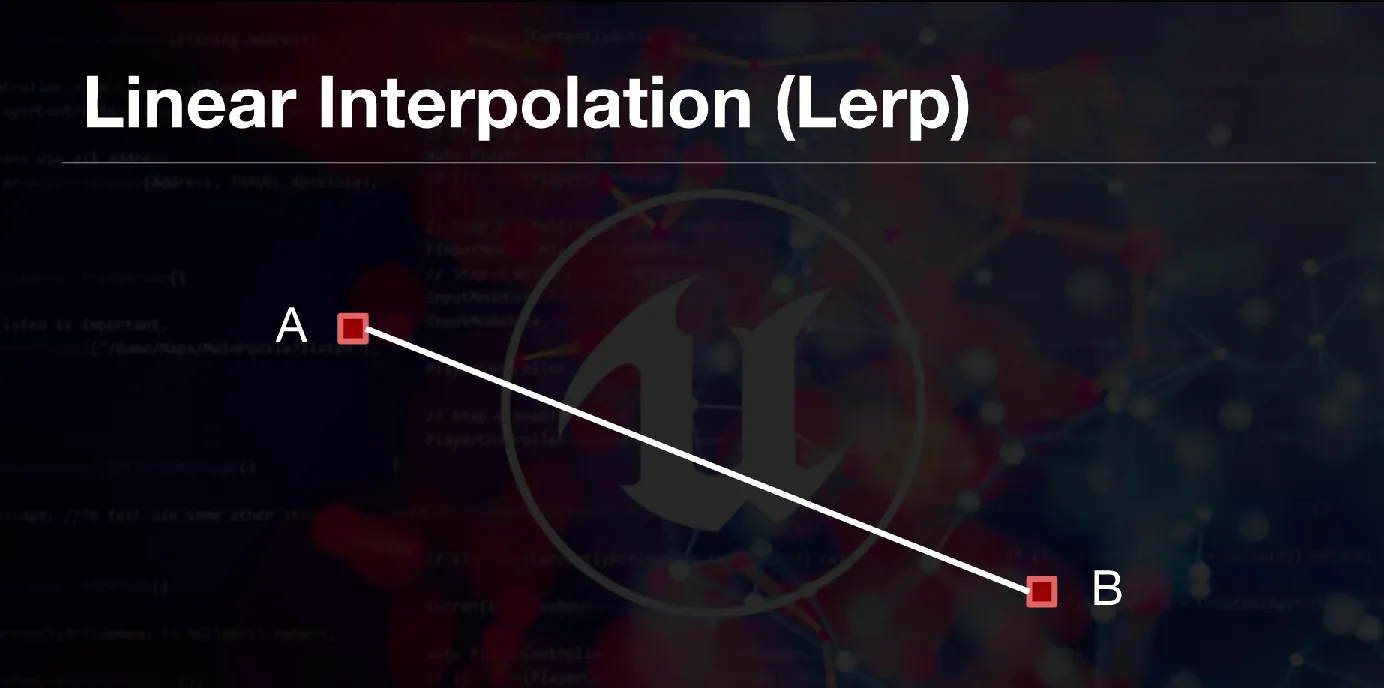
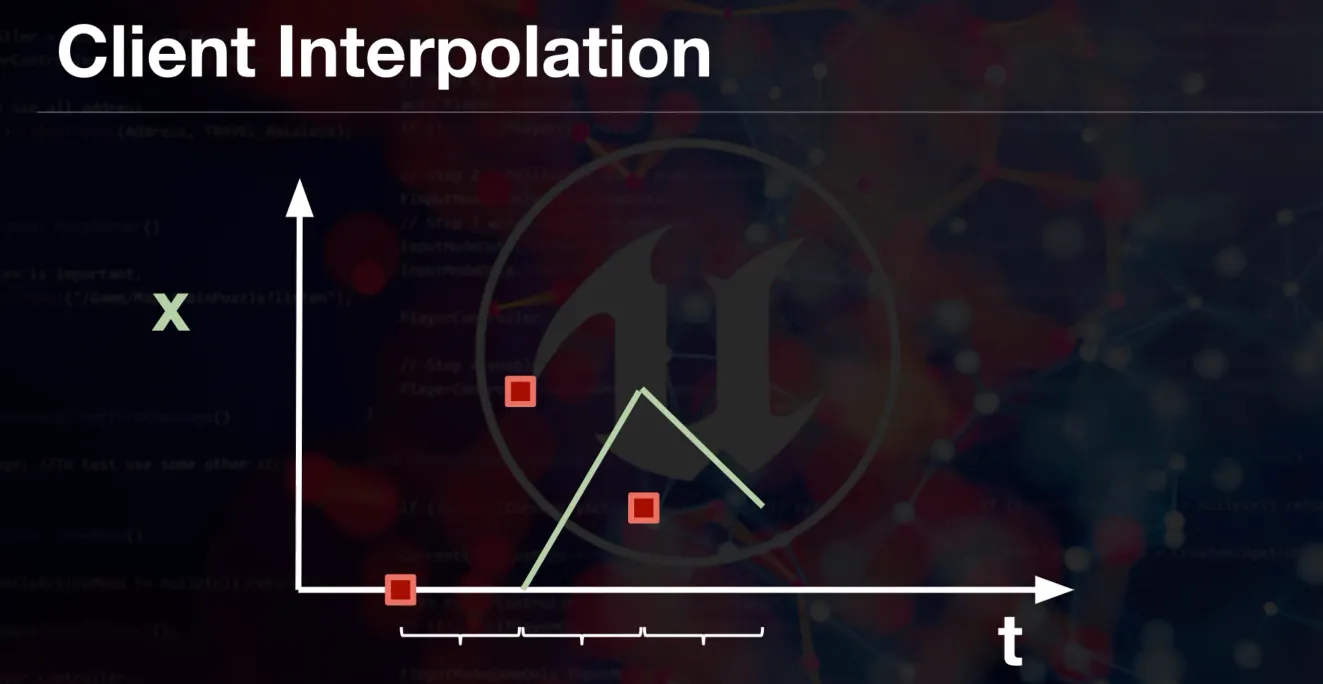
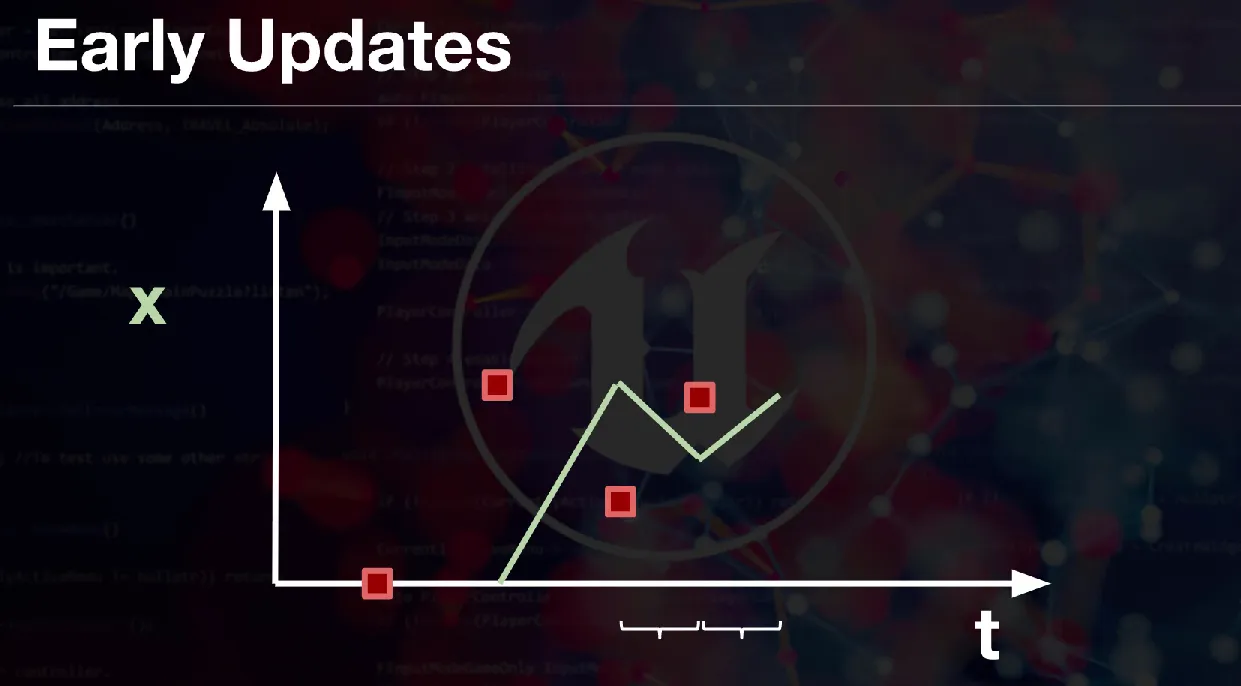
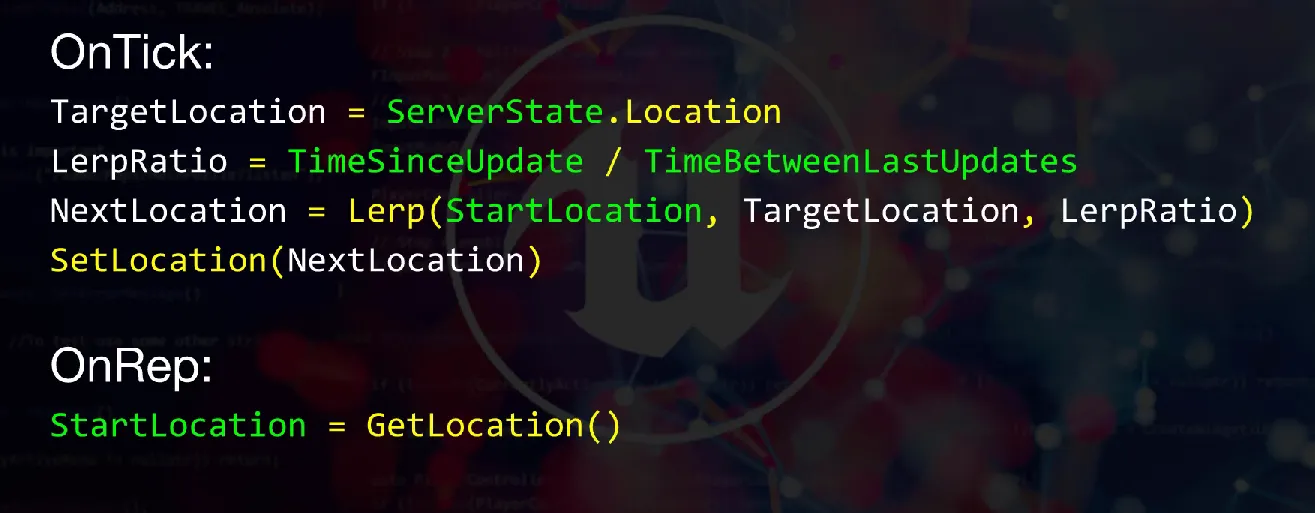
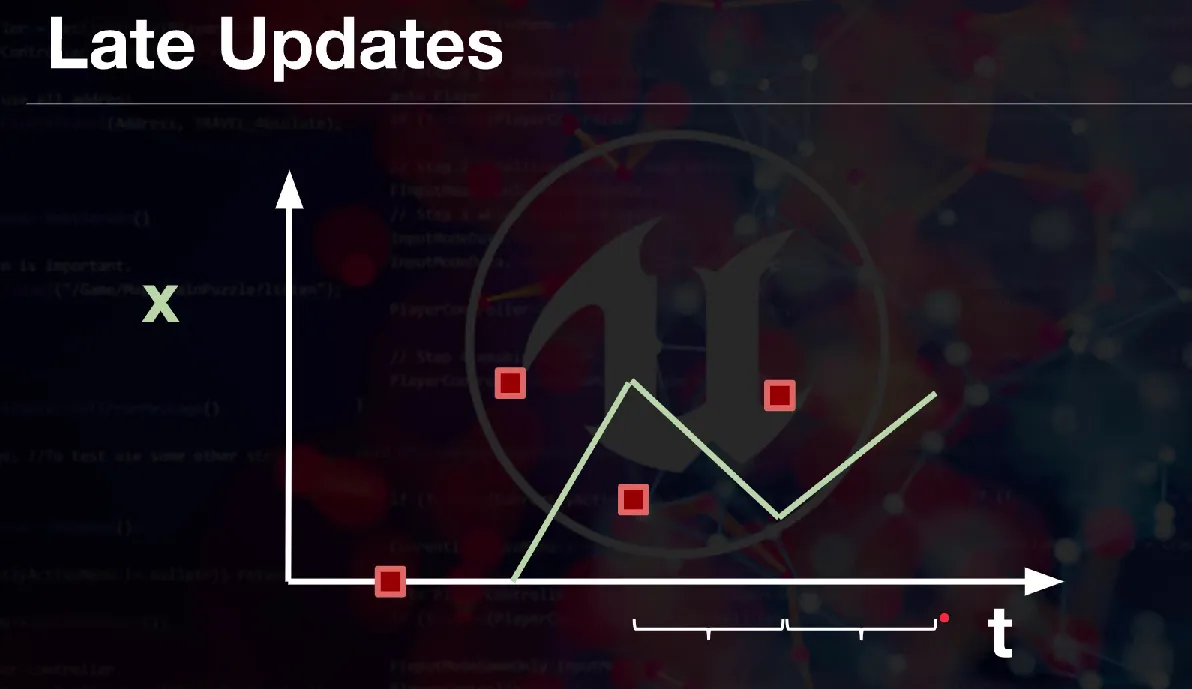
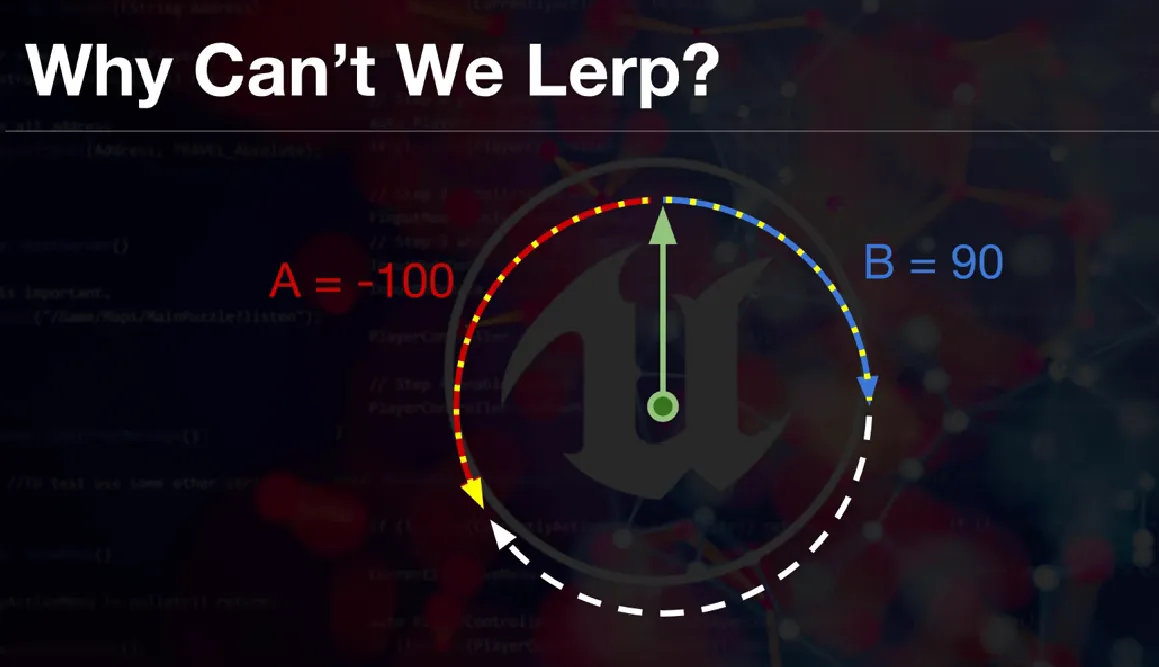
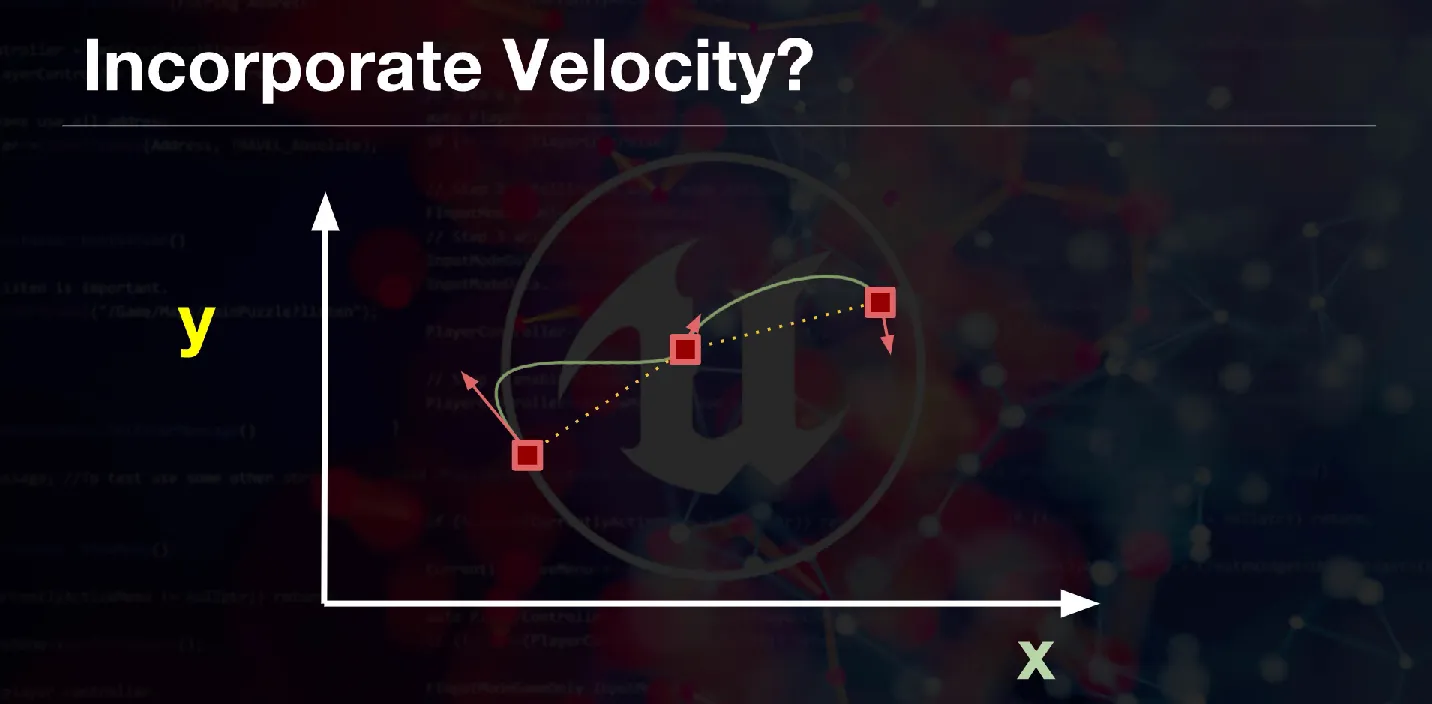
Simulate and make smooth movement
Open smoothing simulation
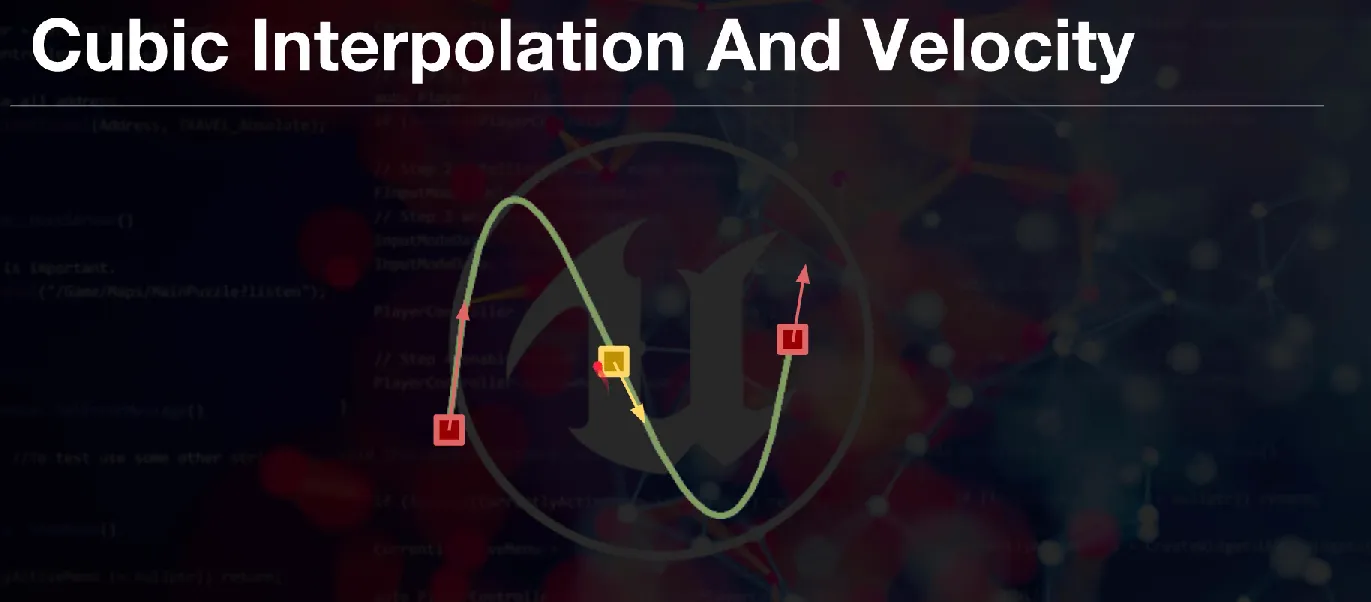
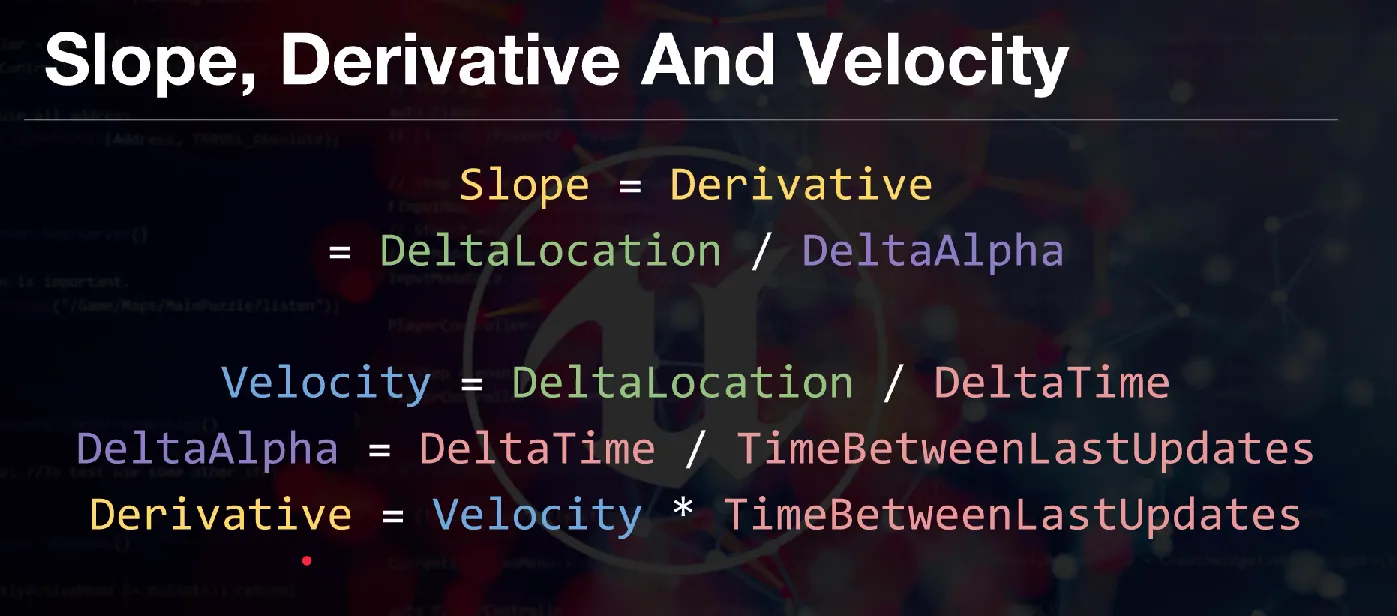
Puzzle Platform
To replicate a moving platform, you must enable replication in the constructor and ensure the movement logic only runs on the Server (Authority).
MovingPlatform.h
public:
    AMovingPlatform();

    void MovementActive();
    void MovementDeactive();

private:
    void Movement(float DeltaTime);

    // MakeEditWidget command is working for the set location with visual (gizmo)
    UPROPERTY(EditAnywhere, Category= "Movement Settings", meta = (MakeEditWidget = true))
    FVector TargetLocation;

    FVector GlobalTargetLocation;
    FVector GlobalStartLocation;

    UPROPERTY(EditAnywhere, Category= "Movement Settings")
    float Speed = 20.0f;

    UPROPERTY(EditAnywhere)
    int ActivatePlatforms = 1;

protected:
    virtual void Tick(float DeltaTime) override;
    virtual void BeginPlay() override;
MovingPlatform.cpp
AMovingPlatform::AMovingPlatform() {
    PrimaryActorTick.bCanEverTick = true;
    SetMobility(EComponentMobility::Movable);

    // Core Replication Settings
    bReplicates = true;
    SetReplicateMovement(true);
}

void AMovingPlatform::Tick(float DeltaTime) {
    Super::Tick(DeltaTime);

    // Only the server calculates movement
    if (HasAuthority()) {
        if (ActivatePlatforms > 0)
        {
            Movement(DeltaTime);
        }
    }
}

void AMovingPlatform::Movement(float DeltaTime)
{
    FVector Location = GetActorLocation();
    if ((GlobalTargetLocation - Location).IsUnit(Speed * DeltaTime))
    {
        Swap(GlobalTargetLocation, GlobalStartLocation);
    }
    FVector Direction = (GlobalTargetLocation - GlobalStartLocation).GetSafeNormal();
    Location += Speed * DeltaTime * Direction;
    SetActorLocation(Location);
}

void AMovingPlatform::MovementActive()
{
    ActivatePlatforms++;
}

void AMovingPlatform::MovementDeactive()
{
    if (ActivatePlatforms > 0)
    {
        ActivatePlatforms--;
    }
}
Platform Trigger
AActor that activates the platform when overlapped.
PlatformTrigger.h
public:
    APlatformTrigger();

private:
    UPROPERTY(EditAnywhere)
    class UBoxComponent* Trigger;

    UFUNCTION()
    void OnOverlapBegin(class UPrimitiveComponent* OverlappedComp, class AActor* OtherActor, class UPrimitiveComponent* OtherComp, int32 OtherBodyIndex, bool bFromSweep, const FHitResult& SweepResult);

    UFUNCTION()
    void OnOverlapEnd(class UPrimitiveComponent* OverlappedComp, class AActor* OtherActor, class UPrimitiveComponent* OtherComp, int32 OtherBodyIndex);

    // find all platform on scene and select on editor
    UPROPERTY(EditAnywhere)
    TArray<class AMovingPlatform*> TriggerToPlatform;

protected:
    virtual void BeginPlay() override;
};
PlatformTrigger.cpp
APlatformTrigger::APlatformTrigger()
{
    PrimaryActorTick.bCanEverTick = true;
    Trigger = CreateDefaultSubobject<UBoxComponent>(TEXT("Trigger"));
    if (!ensure(Trigger != nullptr)) return;
    RootComponent = Trigger;

    Trigger->OnComponentBeginOverlap.AddDynamic(this, &APlatformTrigger::OnOverlapBegin);
    Trigger->OnComponentEndOverlap.AddDynamic(this, &APlatformTrigger::OnOverlapEnd);
}

void APlatformTrigger::OnOverlapBegin(UPrimitiveComponent* OverlappedComp, AActor* OtherActor, ...)
{
    for (AMovingPlatform* Platform : TriggerToPlatform)
    {
        Platform->MovementActive();
    }
}

void APlatformTrigger::OnOverlapEnd(UPrimitiveComponent* OverlappedComp, AActor* OtherActor, ...)
{
    for (AMovingPlatform* Platform : TriggerToPlatform)
    {
        Platform->MovementDeactive();
    }
}
Multiplayer Server Type Selection
Comparison charts and notes for Unreal multiplayer server types:
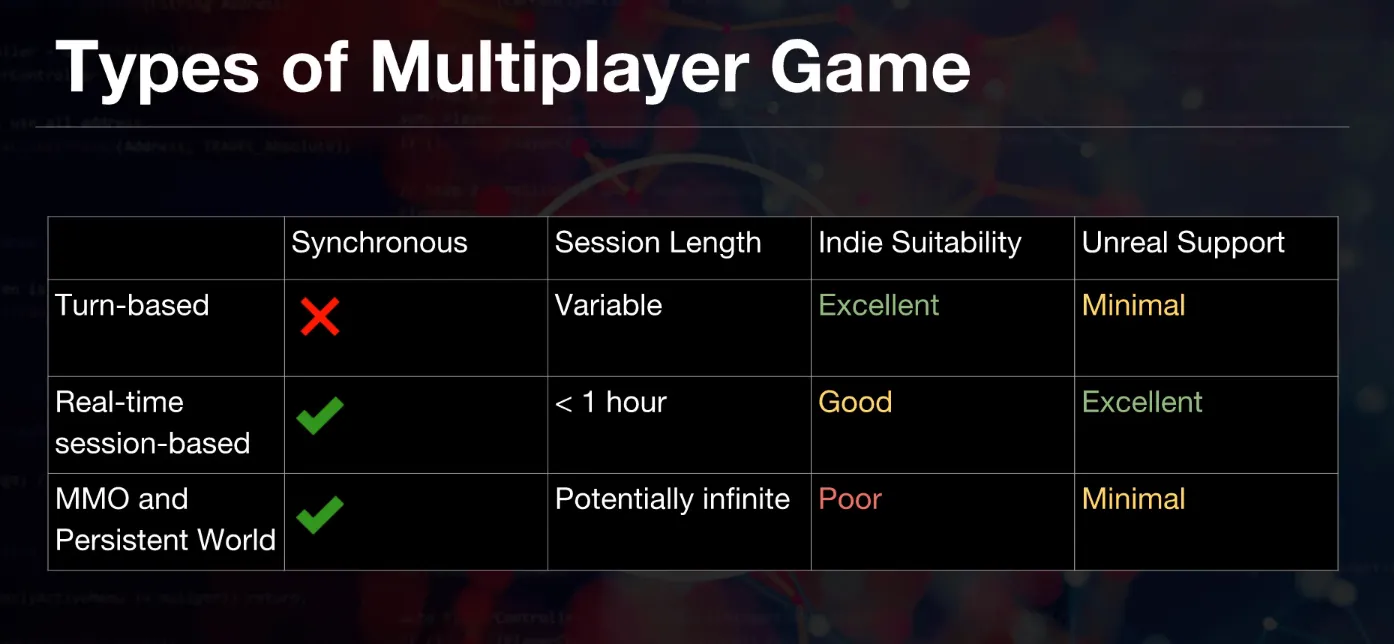
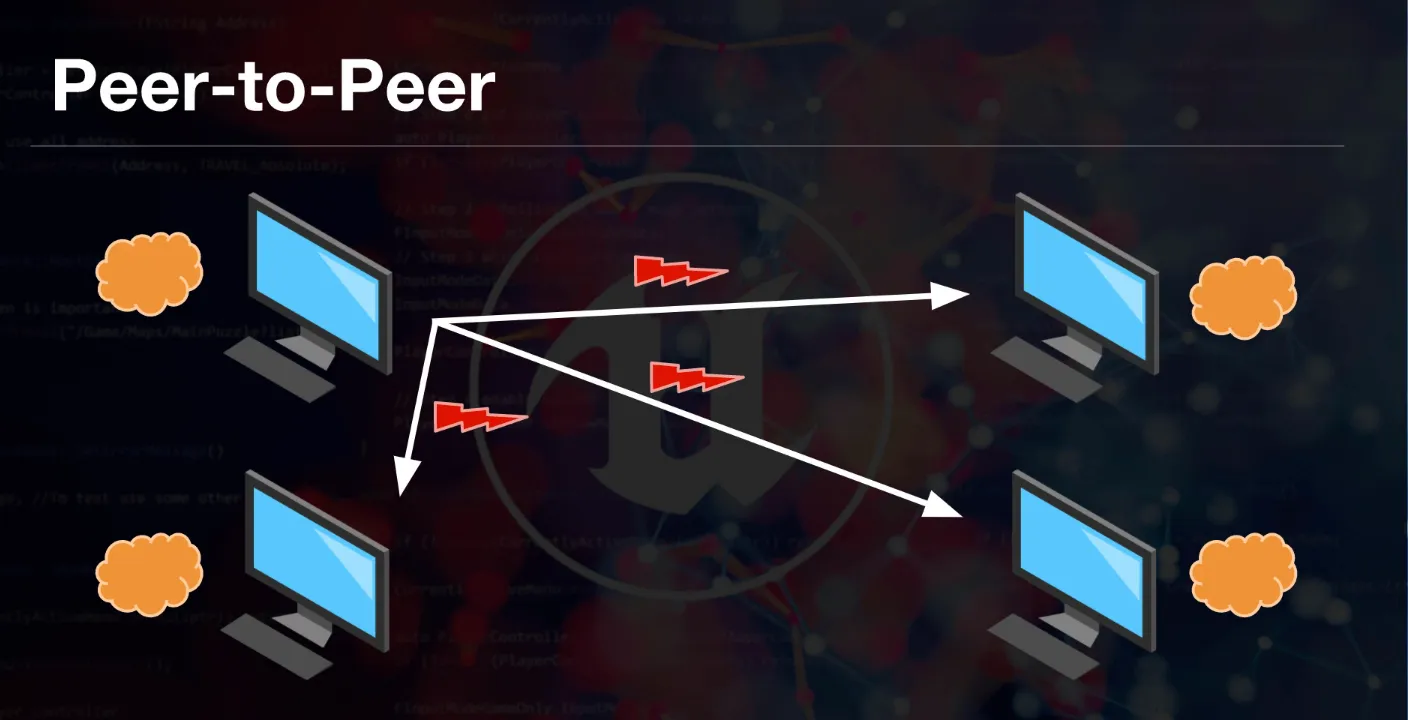
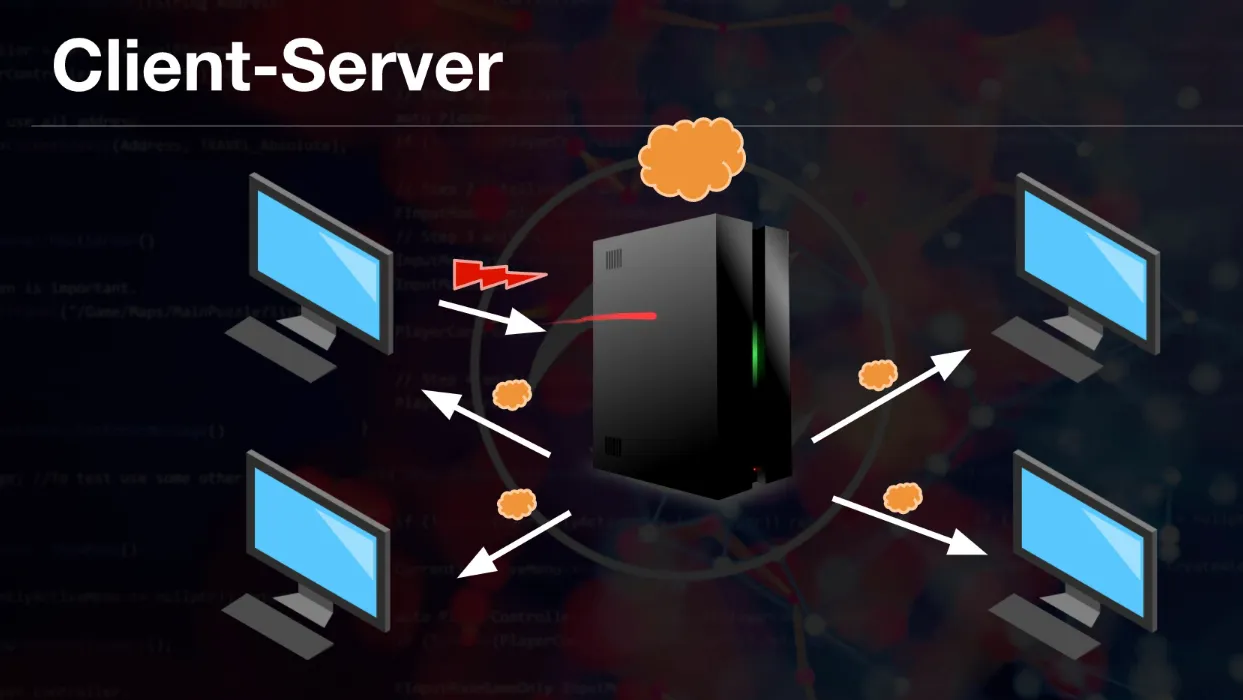
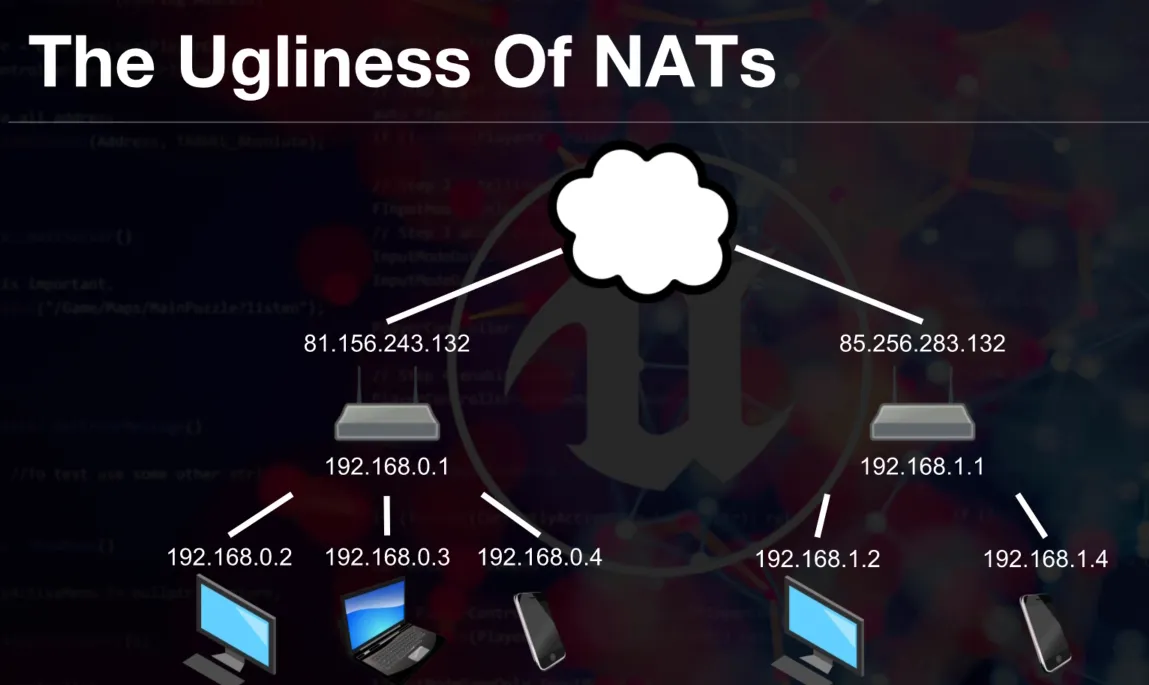
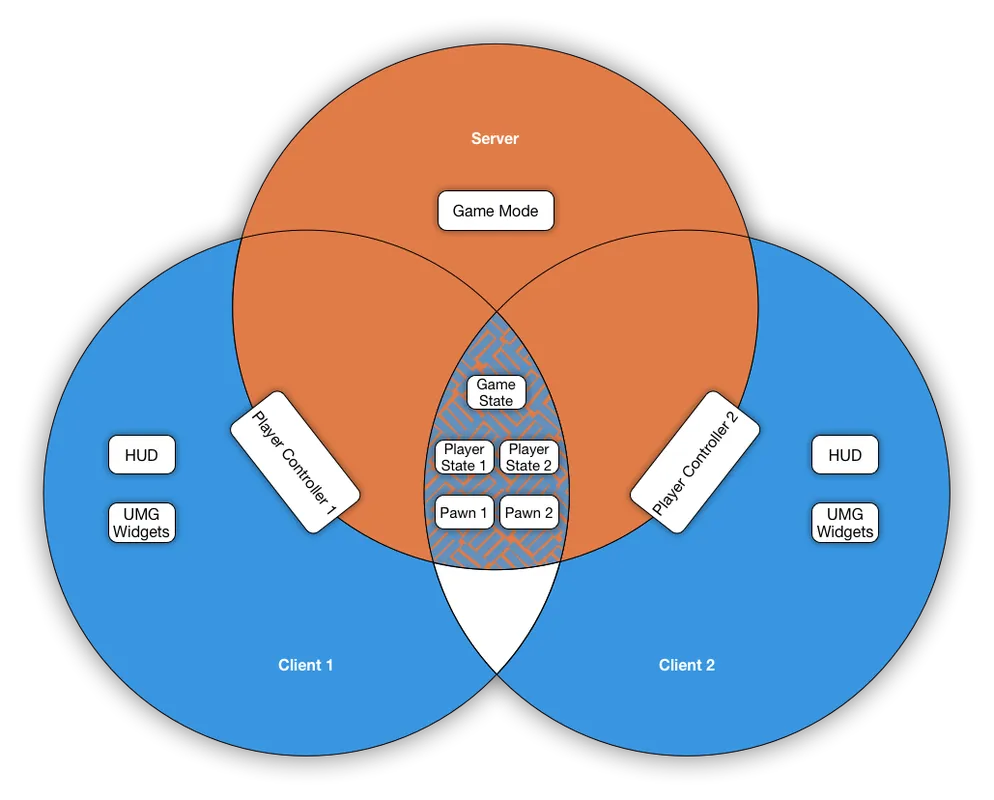
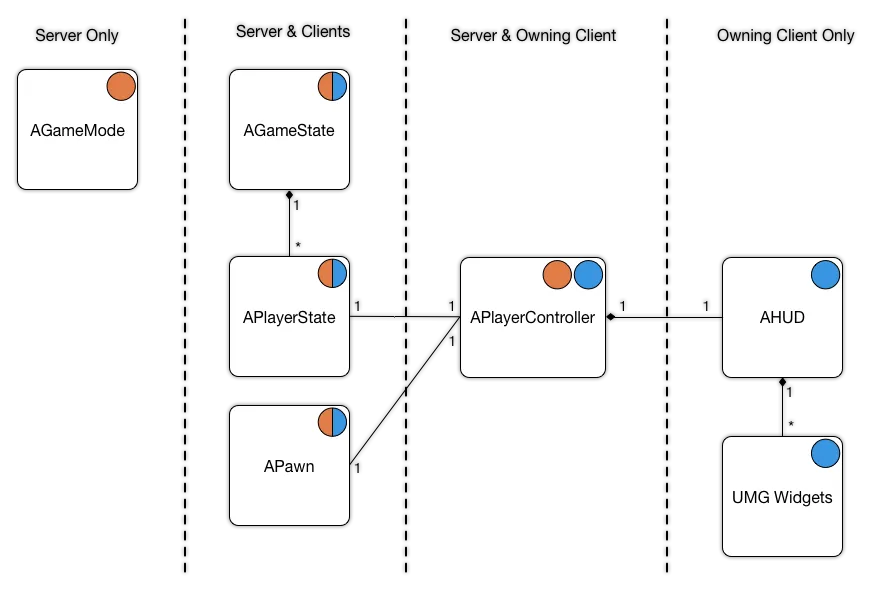
- Listen Server: One player acts as the host. Good for co-op but dependent on the host’s connection.
- Dedicated Server: A headless instance running on a server. Provides the most fair and stable competitive environment.
Dedicated Server Launch Command
-server -NOSTEAM -log -AUTH_LOGIN=127.0.0.1:8081 -AUTH_PASSWORD=MyCred -AUTH_TYPE=developerServer Type Check
In C++ gameplay code, HasAuthority() is the fastest litmus test:
// If true: server (authority). Else: client.
if (HasAuthority())
{
    FVector Location = GetActorLocation();
    Location += FVector(5 * DeltaTime, 0, 0);
    SetActorLocation(Location);
}
Game Start with CMD
Launching from command line is an underrated debugging tool because it makes logs/crashes reproducible.
Common flags:
-game: runs the game directly (instead of opening the full editor UI)-log: opens a live log window-server: starts a server instance
Example (edit paths for your machine):
UnrealEditor.exe "C:\\Path\\To\\Project.uproject" -game -logTo start on a specific map, provide it before -game:
UnrealEditor.exe "C:\\Path\\To\\Project.uproject" /Game/MyGame/Maps/MapName -game -logSteam Lobby System C++ (GameDevTV Course)
Steam lobbies typically use the Online Subsystem Session Interface. Start by verifying which subsystem is active:
IOnlineSubsystem* SubSystem = IOnlineSubsystem::Get();
if (SubSystem != nullptr)
{
    UE_LOG(LogTemp, Warning, TEXT("Found subsystem %s"), *SubSystem->GetSubsystemName().ToString());
}
else
{
    UE_LOG(LogTemp, Warning, TEXT("Found no subsystem"));
}
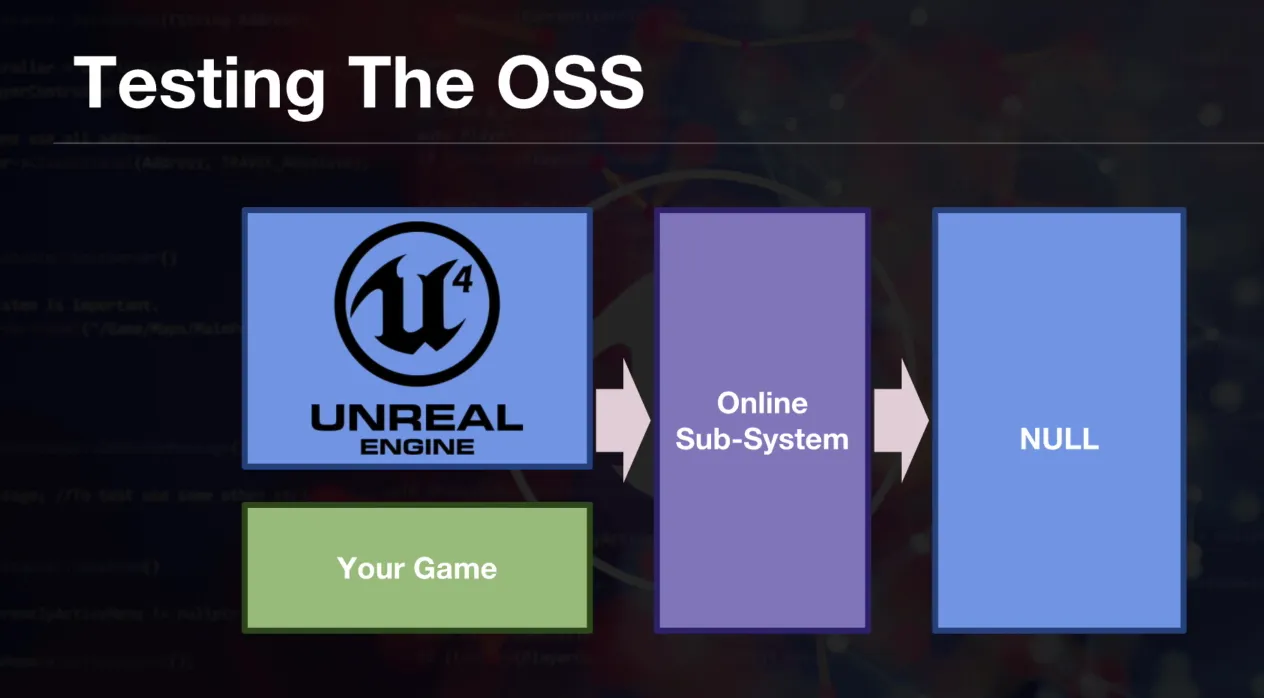
Set DefaultPlatformService=NULL during early development/testing:
[OnlineSubsystem]
DefaultPlatformService=NULL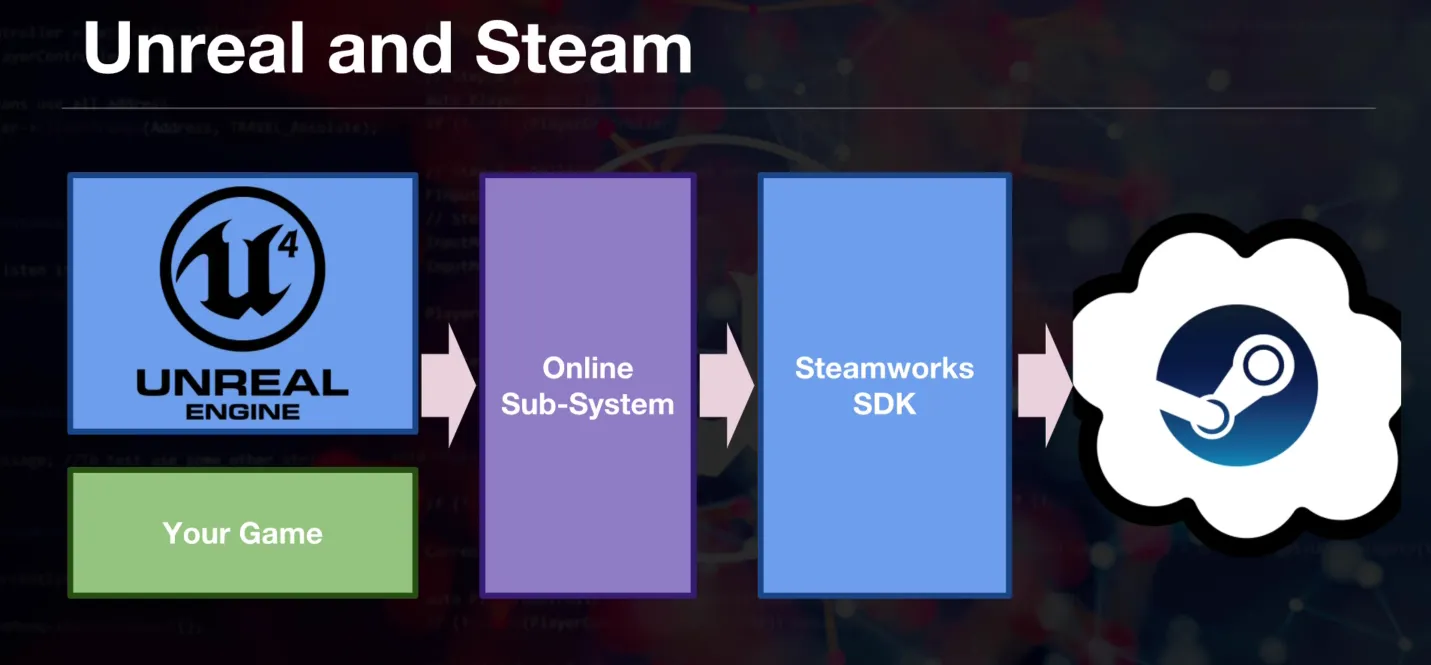
Session flow (high level):
HostSession -> FindSession -> JoinSession -> GetResolvedConnectString -> ClientTravelLAN vs Steam test switch:
if (IOnlineSubsystem::Get()->GetSubsystemName() == "NULL")
{
    SessionSettings.bIsLANMatch = true;
}
else
{
    SessionSettings.bIsLANMatch = false;
}
Travel notes:
- Non-seamless travel disconnects clients, loads map, reconnects (visible freeze).
- Seamless travel uses a transition map to reduce perceived stalls.
bUseSeamlessTravel = true;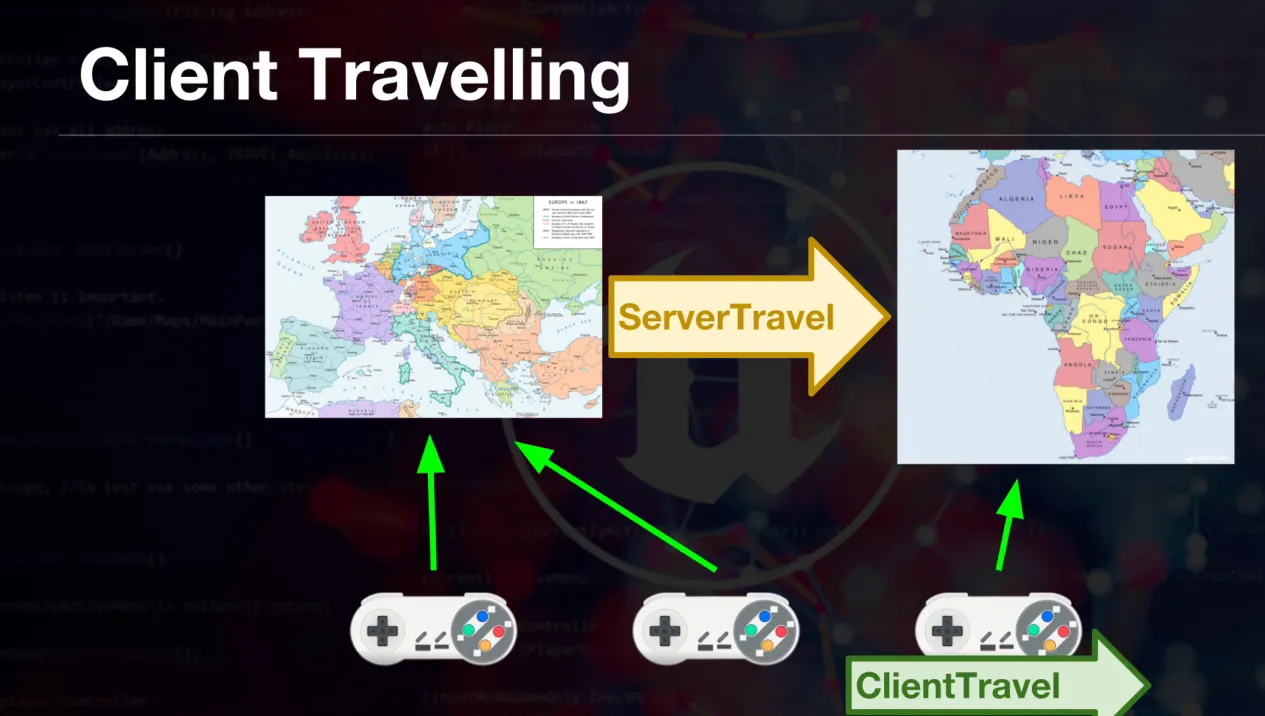
Multiplayer Lobby System (C++ & UMG)
A complete lobby system requires a MenuInterface to handle communication between the UI (Widgets) and the Game Instance.
1. The Interface
Define the contract for hosting and joining.
MenuInterface.h
public:
    virtual void Host() = 0;
    virtual void Join(const FString& Adress) = 0;
    virtual void LoadMainMenu() = 0;
2. The Base Menu Widget
Handles input mode (mouse cursor) and teardown when levels change.
MenuWidget.h
public:
    void Setup();
    void SetMenuInterface(IMenuInterface* MenuInterface);
protected:
    IMenuInterface* MainMenuInterface = nullptr;

    // Clean up when level changes
    virtual void OnLevelRemovedFromWorld(ULevel* InLevel, UWorld* InWorld) override;
MenuWidget.cpp
void UMenuWidget::Setup()
{
    this->AddToViewport();
    UWorld* World = GetWorld();
    if (!World) return;

    APlayerController* PlayerController = World->GetFirstPlayerController();
    if (!PlayerController) return;

    FInputModeUIOnly InputModeData;
    InputModeData.SetWidgetToFocus(this->TakeWidget());
    InputModeData.SetLockMouseToViewportBehavior(EMouseLockMode::DoNotLock);

    PlayerController->SetInputMode(InputModeData);
    PlayerController->bShowMouseCursor = true;
}

void UMenuWidget::OnLevelRemovedFromWorld(ULevel* InLevel, UWorld* InWorld)
{
    this->RemoveFromViewport();
    UWorld* World = GetWorld();
    if (!World) return;
    APlayerController* PlayerController = World->GetFirstPlayerController();

    // Restore Game Input
    FInputModeGameOnly InputModeGameOnly;
    PlayerController->SetInputMode(InputModeGameOnly);
    PlayerController->bShowMouseCursor = false;
}
3. The Main Menu
Handles button clicks and IP entry.
MainMenu.h
private:
    UPROPERTY(meta = (BindWidget))
    class UButton* Host;
    UPROPERTY(meta = (BindWidget))
    class UButton* Join;
    UPROPERTY(meta = (BindWidget))
    class UEditableTextBox* IPWriteBox;
    UPROPERTY(meta = (BindWidget))
    class UWidgetSwitcher* WidgetSwitch;

    UFUNCTION()
    void HostServer();
    UFUNCTION()
    void JoinServer();
MainMenu.cpp
bool UMainMenu::Initialize()
{
    bool Success = Super::Initialize();
    if (!Success) return false;

    if (!ensure(Host != nullptr)) return false;
    Host->OnClicked.AddDynamic(this, &UMainMenu::HostServer);

    if (!ensure(Join != nullptr)) return false;
    Join->OnClicked.AddDynamic(this, &UMainMenu::OpenJoinMenu);

    return true;
}

void UMainMenu::HostServer()
{
    if (MainMenuInterface)
    {
        MainMenuInterface->Host();
    }
}

void UMainMenu::JoinServer()
{
    if(MainMenuInterface && IPWriteBox)
    {
        MainMenuInterface->Join(IPWriteBox->GetText().ToString());
    }
}
4. Game Instance Implementation
The Game Instance survives level transitions, making it the perfect place to hold session logic and widgets.
GameInstance.h
UCLASS()
class YOURGAME_API UYourGameInstance : public UGameInstance, public IMenuInterface
{
    GENERATED_BODY()
public:
    UYourGameInstance(const FObjectInitializer& ObjectInitializer);
    virtual void Init() override;

    UFUNCTION(BlueprintCallable)
    void LoadMenu();

    UFUNCTION(Exec)
    virtual void Host() override;

    UFUNCTION(Exec)
    virtual void Join(const FString& Adress) override;

private:
    TSubclassOf<class UUserWidget> MenuClass = nullptr;
    class UMainMenu* Menu = nullptr;
};
GameInstance.cpp
UYourGameInstance::UYourGameInstance(const FObjectInitializer& ObjectInitializer)
{
    static ConstructorHelpers::FClassFinder<UUserWidget> MenuBPClass(TEXT("/Game/Blueprints/Widgets/WBP_MainMenu"));
    if (MenuBPClass.Class != nullptr)
    {
        MenuClass = MenuBPClass.Class;
    }
}

void UYourGameInstance::LoadMenu()
{
    if (!MenuClass) return;
    Menu = CreateWidget<UMainMenu>(this, MenuClass);
    if (!Menu) return;

    Menu->Setup();
    Menu->SetMenuInterface(this);
}

void UYourGameInstance::Host()
{
    UWorld* World = GetWorld();
    if (World)
    {
        World->ServerTravel(TEXT("/Game/Maps/Level2?listen"));
    }
}

void UYourGameInstance::Join(const FString& Adress)
{
    APlayerController* PlayerController = GetFirstLocalPlayerController();
    if (PlayerController)
    {
        PlayerController->ClientTravel(Adress, ETravelType::TRAVEL_Absolute);
    }
}
Multiplayer lobby (Multiplayer with hamachi or any IP address)
For early multiplayer testing (LAN/VPN like Hamachi), you can ship a simple UI loop:
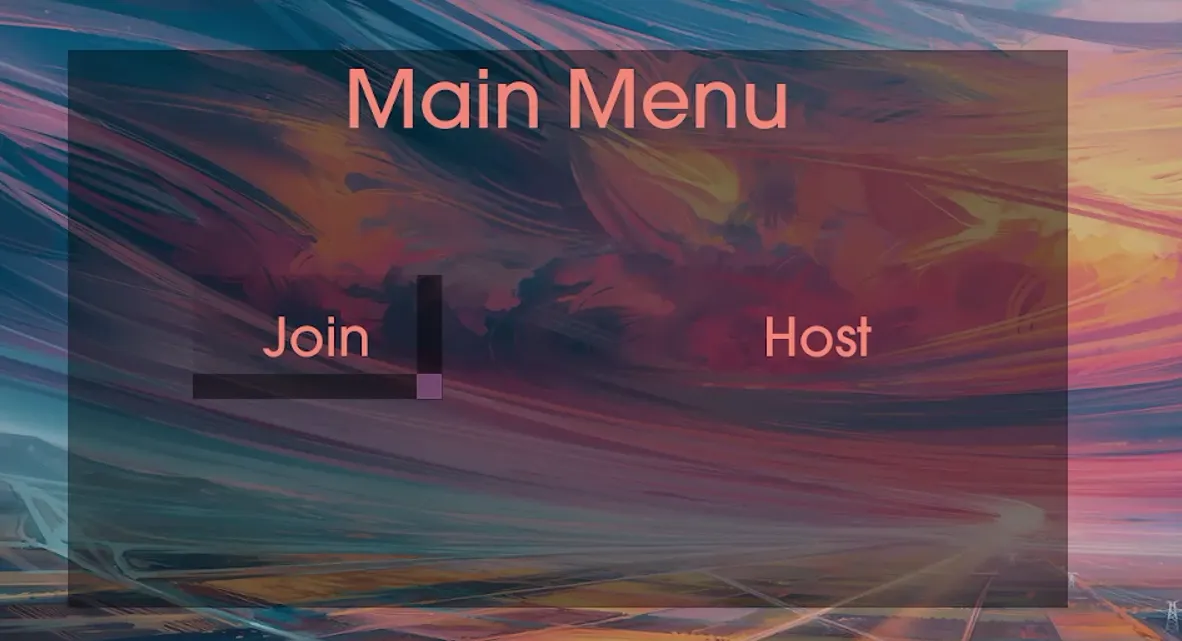
- Main Menu: Host / Join entry point
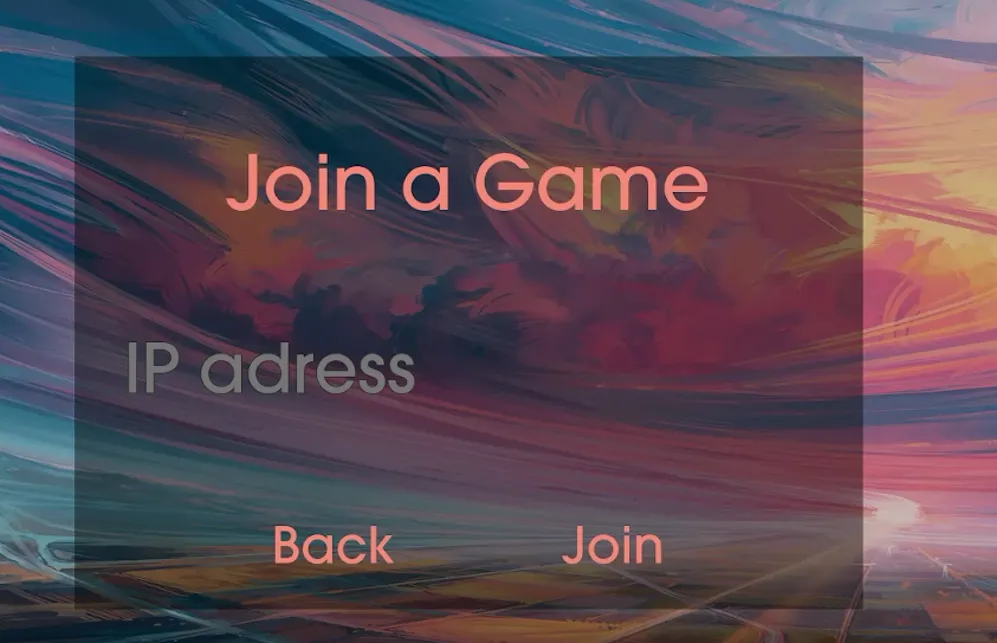
- Join Menu: IP text box + connect button
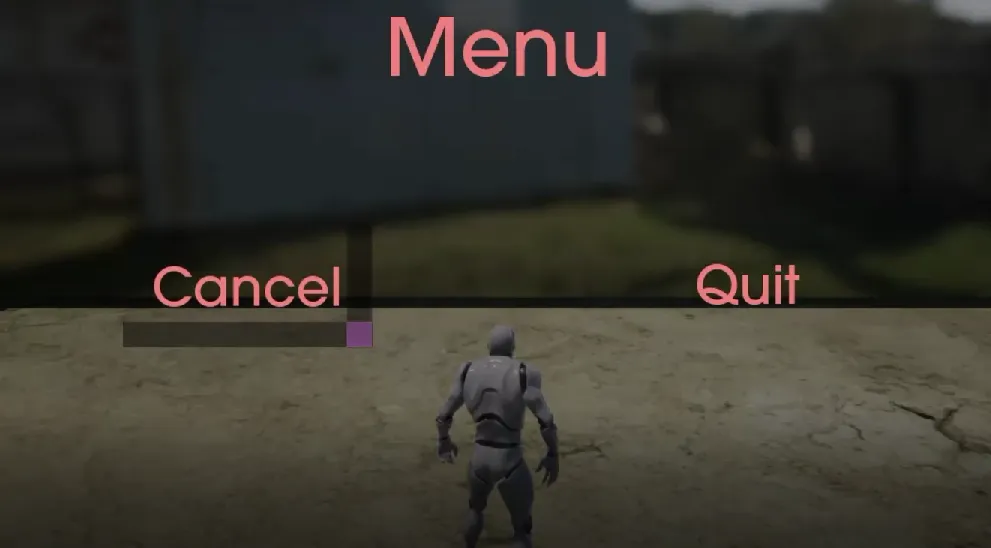
- In-Game Menu: pause menu with Quit/Return controls